What FRCP 5.2 Requires You to Redact
Federal Rule of Civil Procedure 5.2 limits the personal details a court filing may include. This guide covers what the rule requires, what it exempts, the mistakes that put numbers on the public docket, and how to prepare a filing with a built-in FRCP 5.2 profile.
The short answer
Unless the court orders otherwise, a federal civil filing may show only the last four digits of a Social Security, taxpayer-identification or financial-account number, the year of a birth date, and a minor's initials (Fed. R. Civ. P. 5.2(a)). Criminal filings follow the same list under Rule 49.1 and also limit a home address to its city and state. Everything else in those items must be removed from the document itself, not just covered, before you file.
What Rule 5.2 and Rule 49.1 allow in a filing
The rules apply to paper and electronic filings, by parties and nonparties alike, unless the court orders otherwise.
| Information | The filing may show only | Example |
|---|---|---|
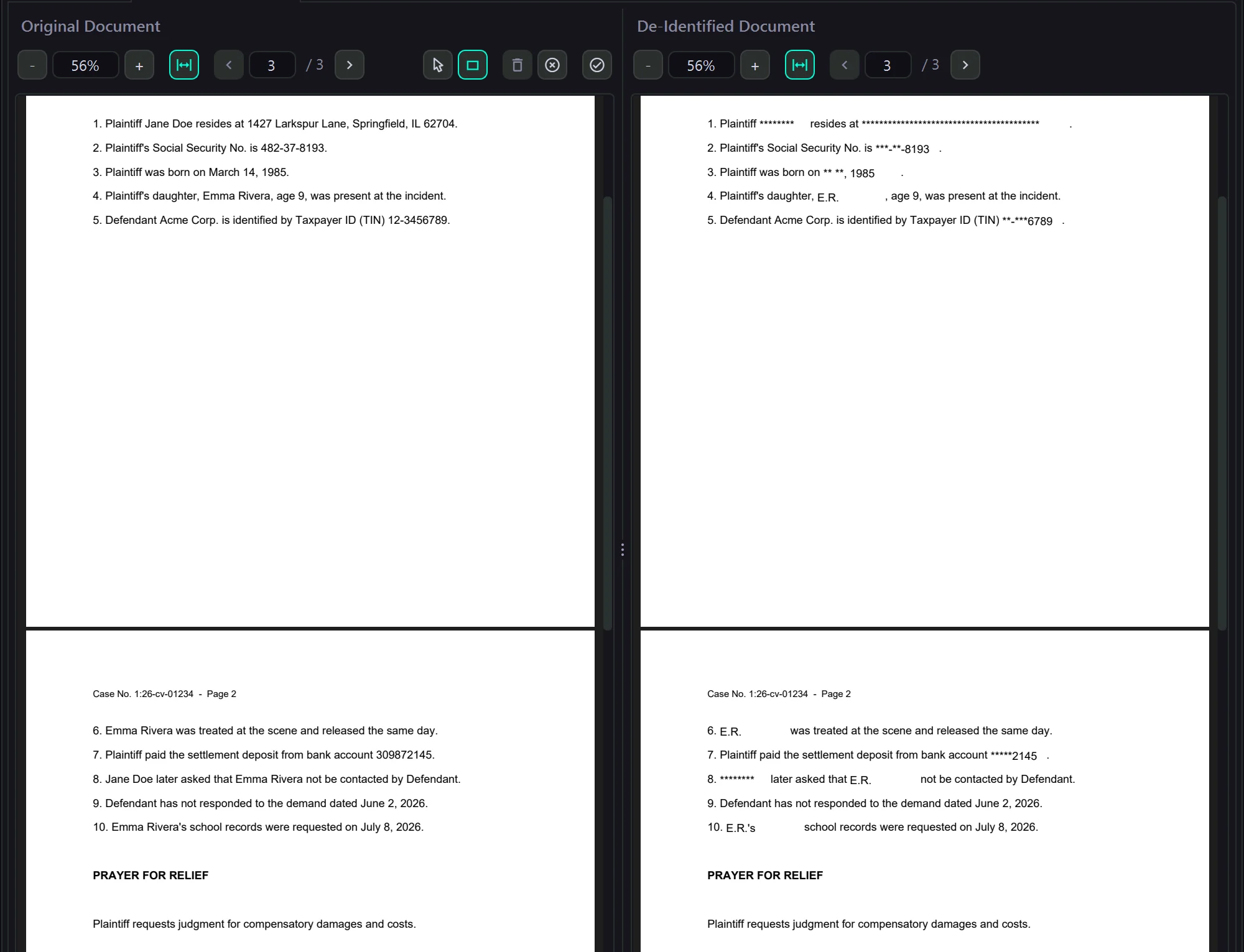
| Social Security number | Last four digits | ***-**-8193 |
| Taxpayer-identification number | Last four digits | **-***6789 |
| Birth date | Year only | ** **, 1985 |
| Name of a minor | Initials | E.R. |
| Financial-account number | Last four digits | *****2145 |
| Home address (criminal filings, Rule 49.1) | City and state | …, Springfield, IL |
Source: Fed. R. Civ. P. 5.2(a) and Fed. R. Crim. P. 49.1(a). Bankruptcy filings follow Bankruptcy Rule 9037, and some district courts add local rules, so check the rules for your court.
When the rule doesn't apply, and what else you can do
Rule 5.2(b) exempts some filings from the redaction requirement, including:
- • a financial-account number that identifies property allegedly subject to forfeiture;
- • the record of an administrative or agency proceeding, and the official record of a state-court proceeding;
- • the record of a court or tribunal, if it wasn't subject to the requirement when first filed;
- • filings covered by 5.2(c) or (d), and certain pro se habeas filings.
The rest of the rule gives you options. The court may order a filing made under seal without redaction (5.2(d)), or enter a protective order (5.2(e)). You may also file an unredacted copy under seal alongside the redacted one (5.2(f)), or file a sealed reference list that pairs each redacted item with an identifier (5.2(g)).
And one warning: under 5.2(h), if you file your own information without redaction and not under seal, you waive the rule's protection for it.
Mistakes that put numbers on the docket
- • A black box drawn on top. A shape or highlight over the text leaves the full number in the file, and anyone can copy it out. The digits must be removed from the document itself. See how to redact a PDF the right way.
- • Hidden data left behind. Author fields, form-field values and earlier versions can hold the same details. Clear them before you file.
- • Exhibits nobody reread. Bank statements, tax forms, medical records and scanned letters carry the most account numbers and birth dates, and they are the pages most often skimmed.
- • A child named once, deep in the document. One missed mention of a minor's full name undoes the initials everywhere else.
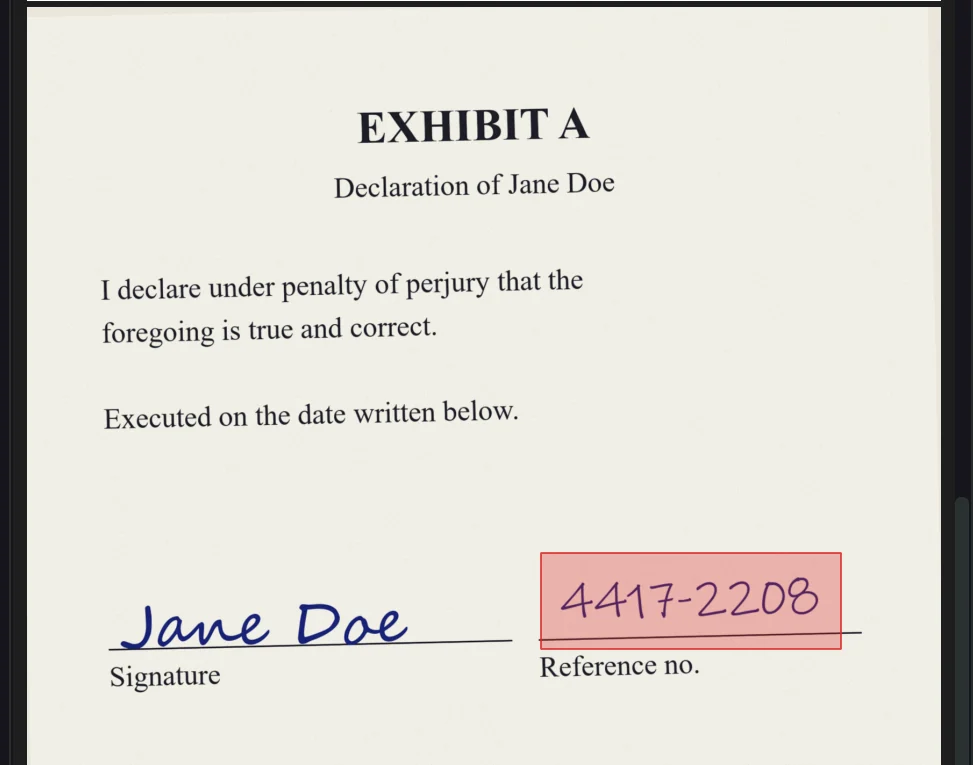
- • Handwriting and signatures. A handwritten account number on a scanned form is a picture, not text, and needs a box drawn by hand.
Prepare a filing with the FRCP 5.2 profile
PII Anomalyzer ships with ready-made FRCP 5.2 and FRCrP 49.1 profiles in every plan and the free trial. Your documents stay on your machine.
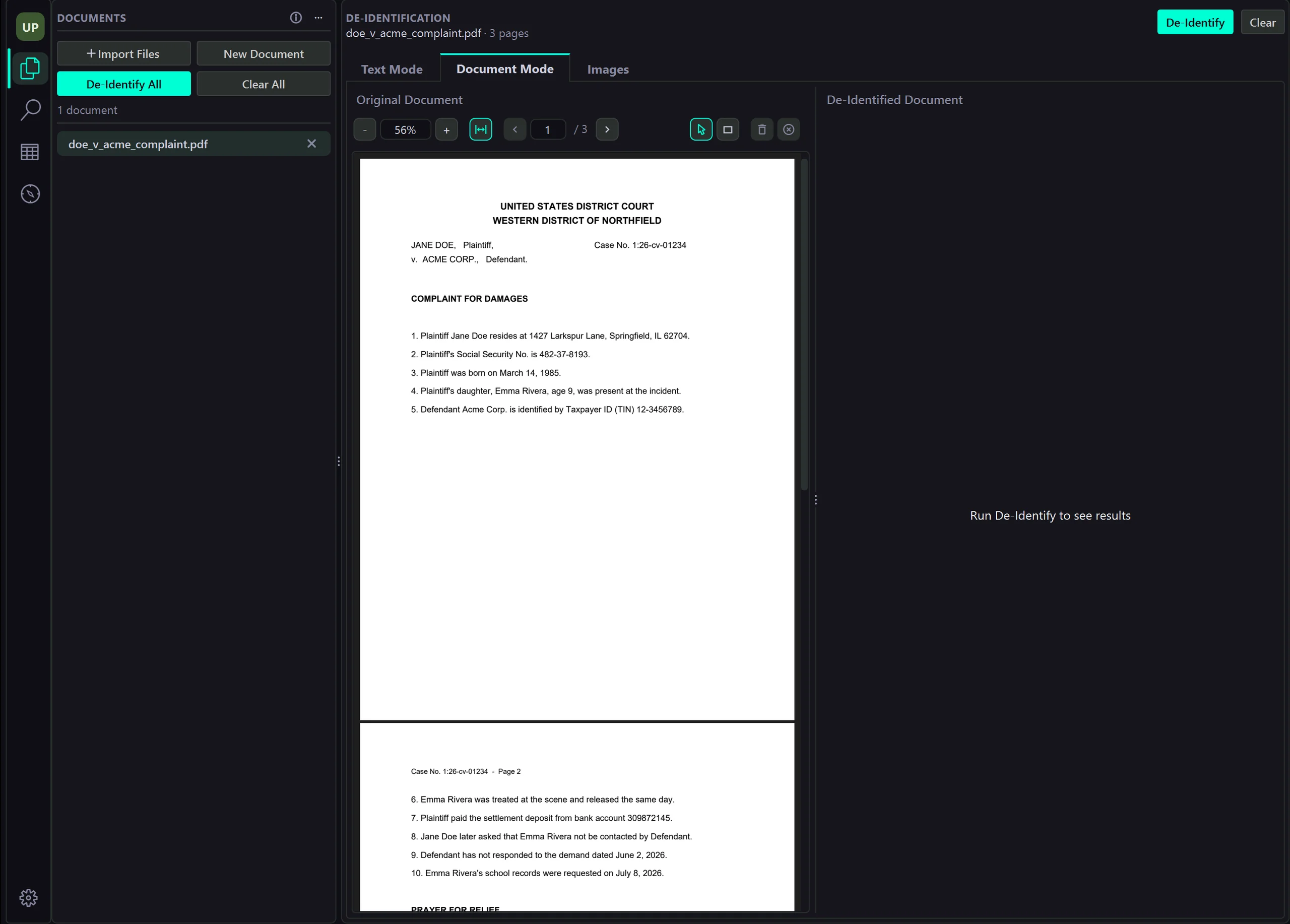
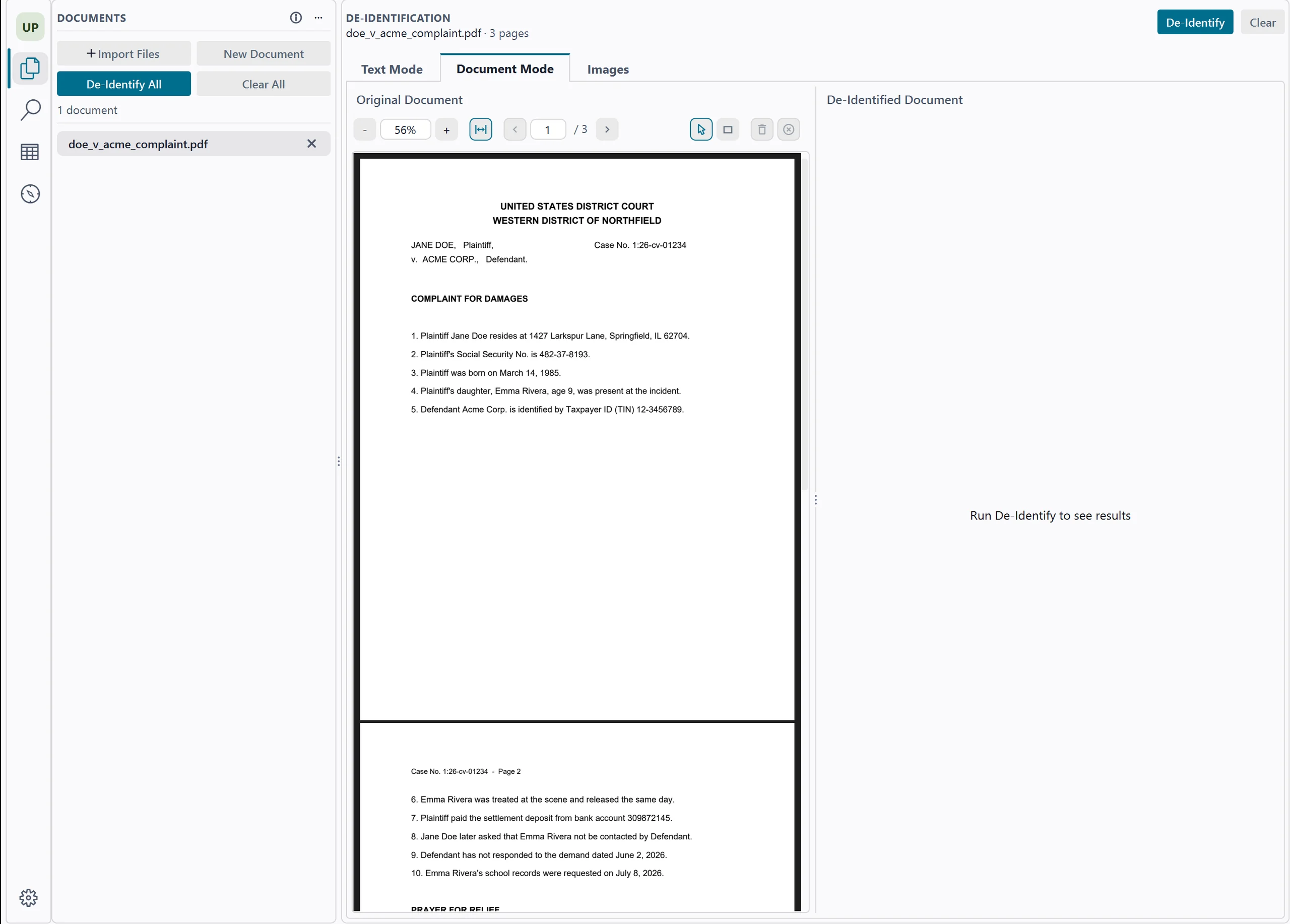
Open the filing
Click Import Files and choose the PDF, Word or Excel files you plan to file, or use File → Import Folder… for a whole set of exhibits. Word and Excel files are converted to PDF on your machine, and scanned pages are read with built-in OCR.
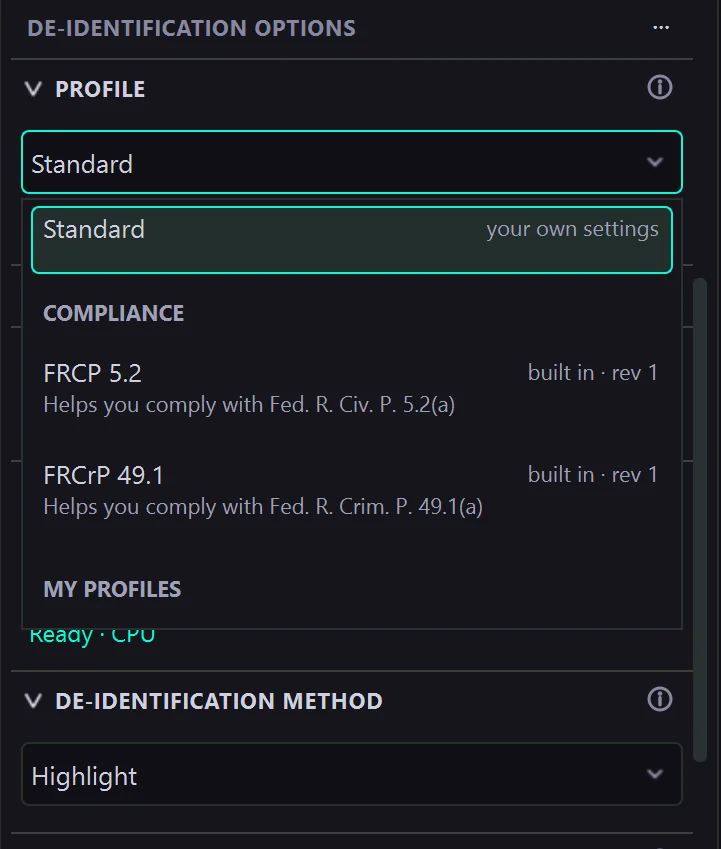
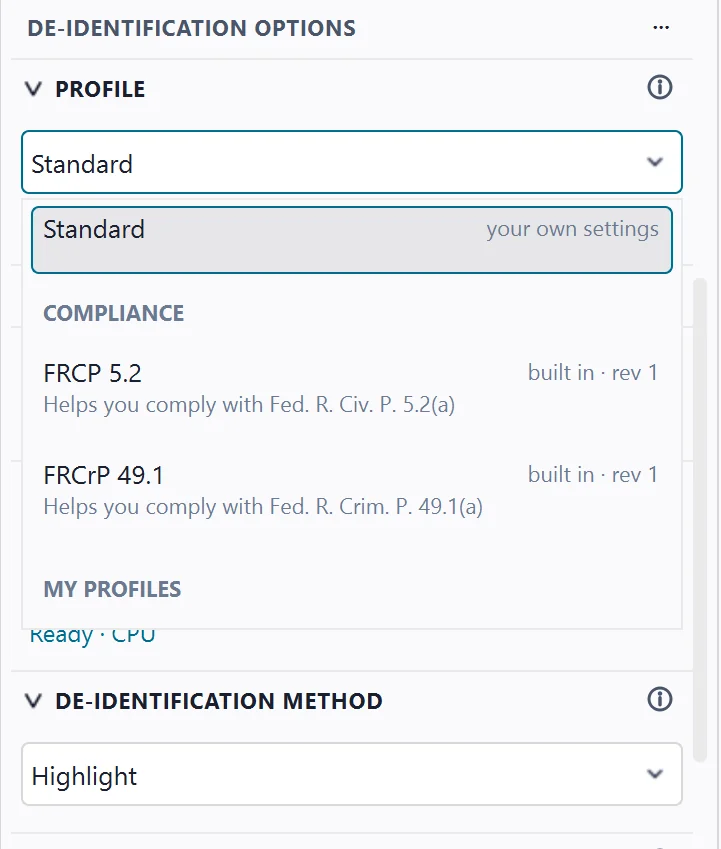
Pick FRCP 5.2 or FRCrP 49.1
Open the Profile list at the top of the Options panel and choose FRCP 5.2 for a civil filing or FRCrP 49.1 for a criminal one, under Compliance. The profile turns on the types the rule names and sets how each one prints: the last four digits, the birth year, initials and, for 49.1, city and state. It also hides names, addresses, phone numbers and email addresses unless you untick them.
Run it, then mark the minors
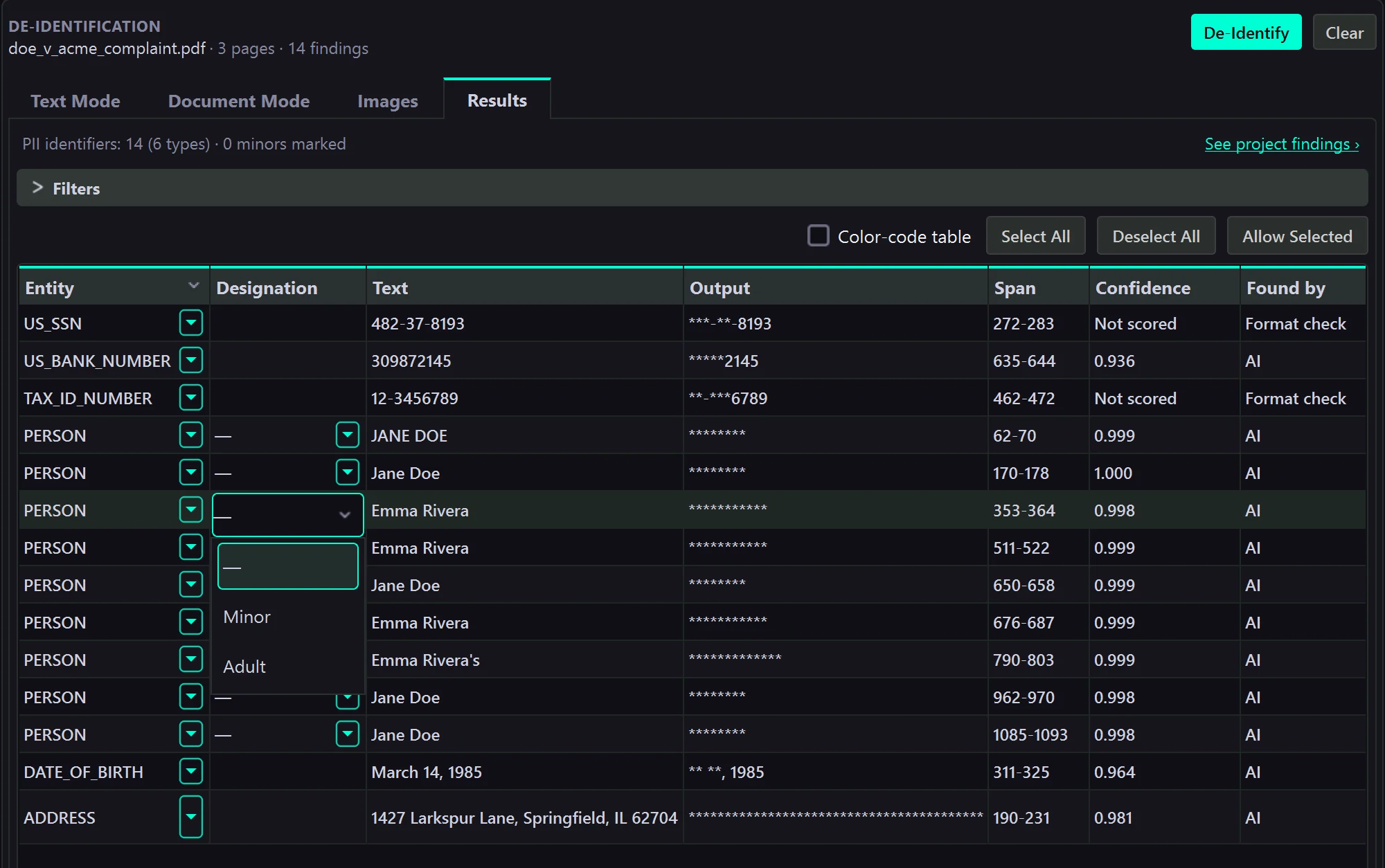
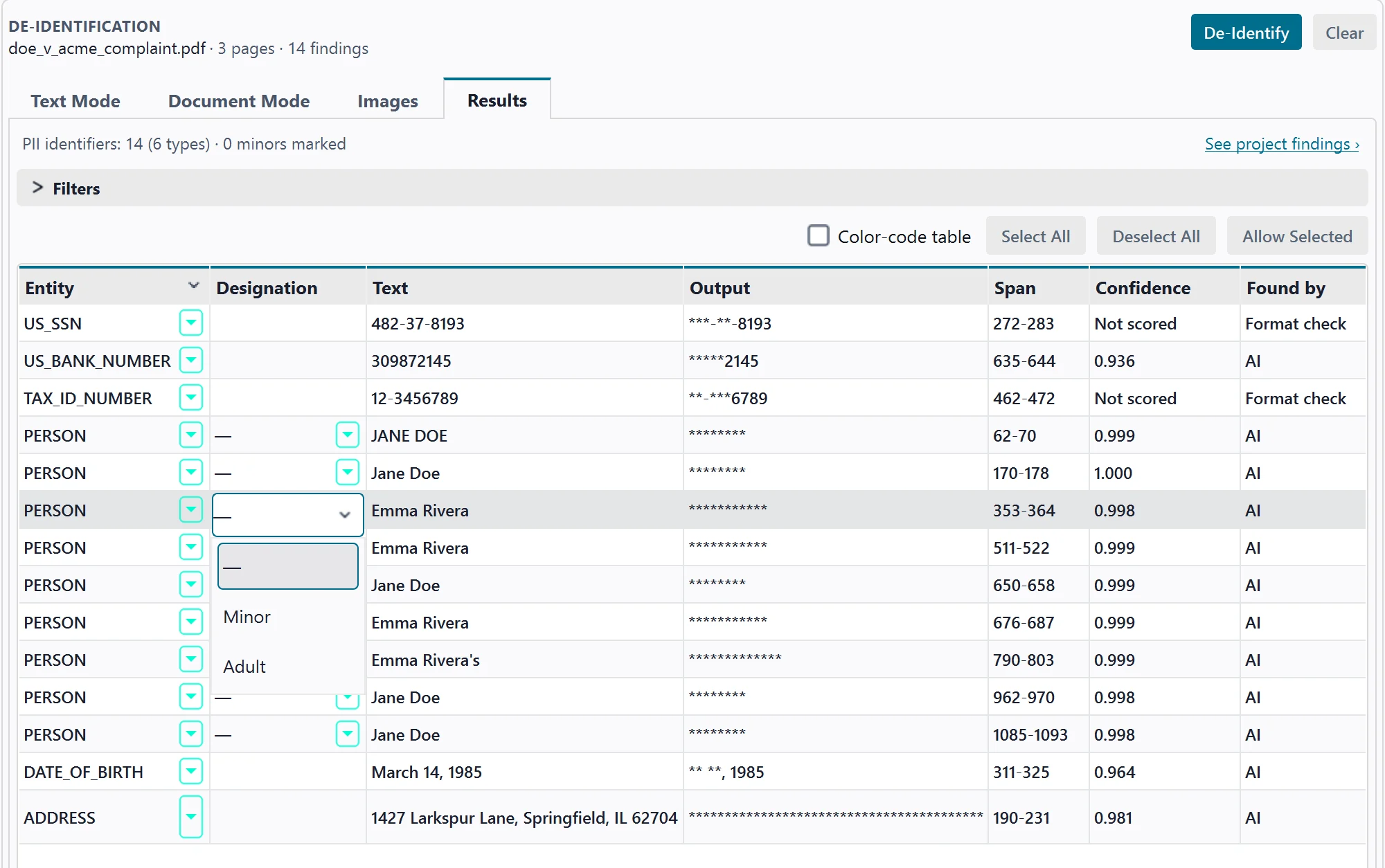
Click De-Identify All and check every finding in the Results table. The app never guesses who is a child: click a name's Designation cell and choose Minor, and that name prints as initials everywhere it appears. Under FRCrP 49.1, mark a court or law-firm address Not a home address to leave it as written.
Cover what a scan can't read
Handwritten numbers, signatures and stamps are pictures, not text. Choose the draw tool, drag a box over anything the run missed, then click Apply: the box turns solid black in the de-identified PDF, alongside everything the run found.
Export, then check every page
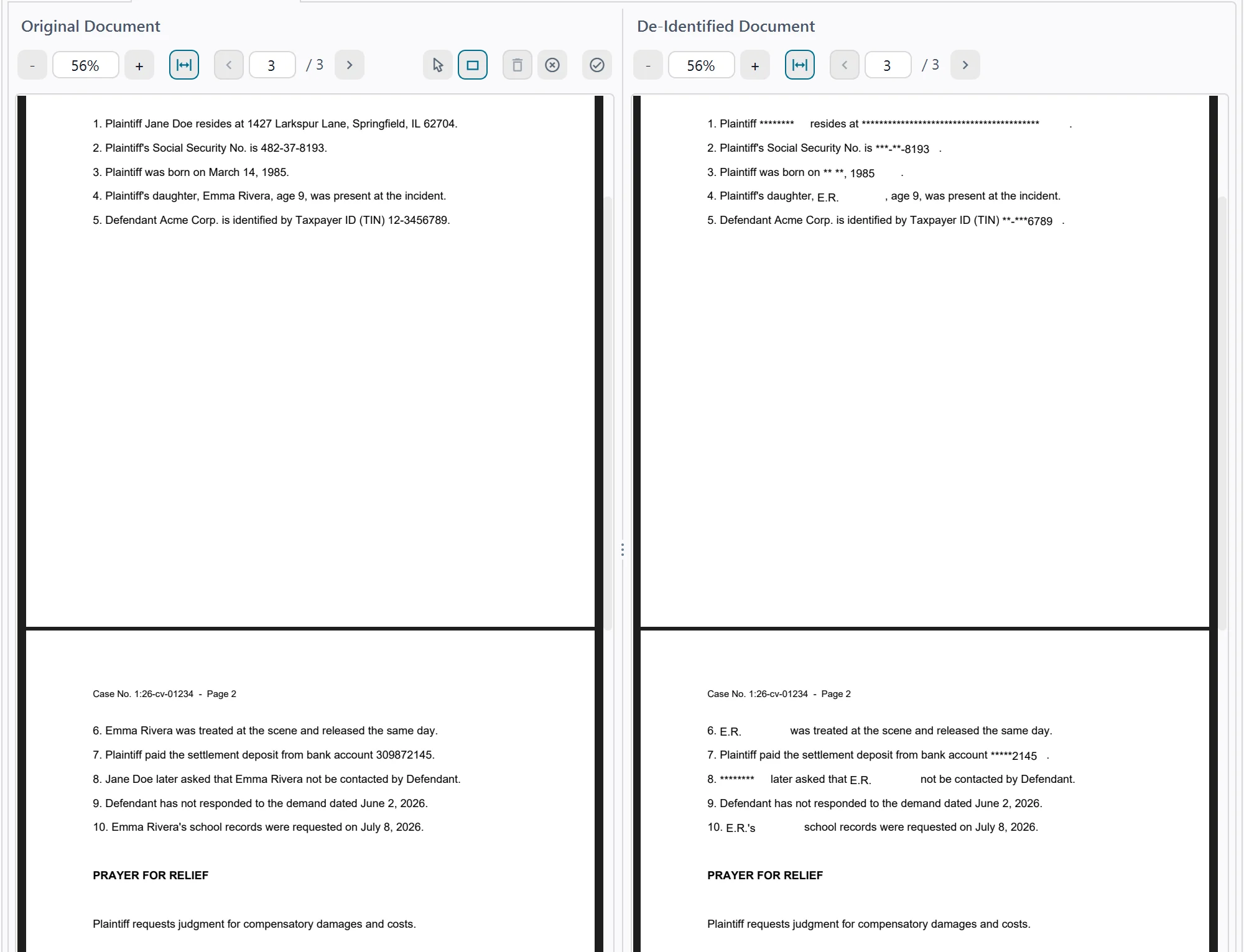
The de-identified copy shows only what the rule allows: the SSN as ***-**-8193, the birth date as ** **, 1985, and Emma Rivera as E.R. everywhere she appears. Click Export Results and save the PDF. Leave Remove hidden data on (it is on by default) to clear metadata and leftover form-field values. Open the exported file and read it through before you file: you are the one who signs it.
What the profile leaves to you
A profile does the repetitive part. These calls stay with the person filing.
- Whether an exemption, a seal or a protective order applies. The profile applies the 5.2(a) limits to everything it finds.
- Who is a minor. The app never guesses; a child you don't mark prints like any other name.
- Under 49.1, which addresses are homes. The app can't tell a home from a court or firm address, so it limits them all until you mark one Not a home address.
- A birth date with no label nearby is hidden in full rather than cut to the year, and a number found only in part is hidden in full. Both are on the safe side, but check them.
- On a scanned page, Redact hides the whole value, the kept digits too, and the app says so.
- Your court's local rules, and the final read-through before you file.
This page explains the rule in plain terms and is not legal advice. For how profiles work beyond court filings, see the features page.
Common questions about FRCP 5.2 redaction
What does FRCP 5.2 require you to redact?
Unless the court orders otherwise, a federal civil filing may include only the last four digits of a Social Security or taxpayer-identification number, the year of a person's birth, a minor's initials, and the last four digits of a financial-account number (Fed. R. Civ. P. 5.2(a)).
How is Criminal Rule 49.1 different from Rule 5.2?
Fed. R. Crim. P. 49.1(a) has the same four items and adds a fifth: a home address may show only the city and state.
Does Rule 5.2 apply to state court filings?
No. Rule 5.2 governs filings in federal civil cases. State courts set their own privacy rules, and some federal district courts add local rules or filing procedures, so check the rules for the court you are filing in. Bankruptcy filings follow Bankruptcy Rule 9037, and an appeal follows the same rule that applied in the case below (Fed. R. App. P. 25(a)(5)).
Is drawing a black box over the number enough?
No. A box or highlight drawn on top of the text leaves the full number in the file, where anyone can copy it out. The digits that are not allowed must be removed from the document itself, and its hidden data cleared, before you file.
What happens if I file my own information without redacting it?
Under Rule 5.2(h), a person who files their own information without redaction and not under seal waives the rule's protection for that information. The rule's Committee Note adds that the clerk is not required to review filings: the responsibility to redact rests with counsel and the party or nonparty making the filing.
Does PII Anomalyzer decide what is exempt?
No. The exemptions in Rule 5.2(b), sealed filings, protective orders and reference lists are your call; the profile applies the 5.2(a) limits to what it finds. It does not guess who is a minor either: you mark each child's name. Review every page before you file. The profile helps you prepare a filing; it is not legal advice.
Does it work on scanned filings?
Yes. Scanned pages are read with built-in OCR. On a scanned page, Redact hides the whole value, including the digits the rule lets you keep, and the app tells you when it does. Handwritten numbers and signatures may need a box drawn by hand.
Are my documents uploaded anywhere?
No. PII Anomalyzer is a Windows and macOS desktop app. Detection and redaction run on your computer, and your documents stay on your machine.
Prepare your next filing in minutes
Pick the FRCP 5.2 profile, review what it finds, and export a clean PDF, with your documents kept on your machine. Try it on your own filings for 7 days.
7-day free trial · Windows & macOS · Documents stay on your machine