Use AI in your practice without the case file leaving your machine
Mediation and ODR run on documents full of party information. PII Anomalyzer detects, redacts, and anonymizes the personal data in a case file on your own computer, so you can bring in AI tools, co-mediators, and platforms without that data leaving your control.
- Runs entirely offline
- Windows & macOS
- 7-day free trial
The AI is only as private as the files you feed it
Dispute resolution runs on documents full of party information: names, addresses, financials, employment and medical details, the specifics of the dispute itself. The moment a case file goes into an AI tool, onto a shared platform, or over to a co-mediator, that information leaves your control.
The tools get the attention. What happens to the parties' data usually does not. PII Anomalyzer closes that gap before the file ever goes anywhere.
Detect, de-identify, and restore, all on your machine
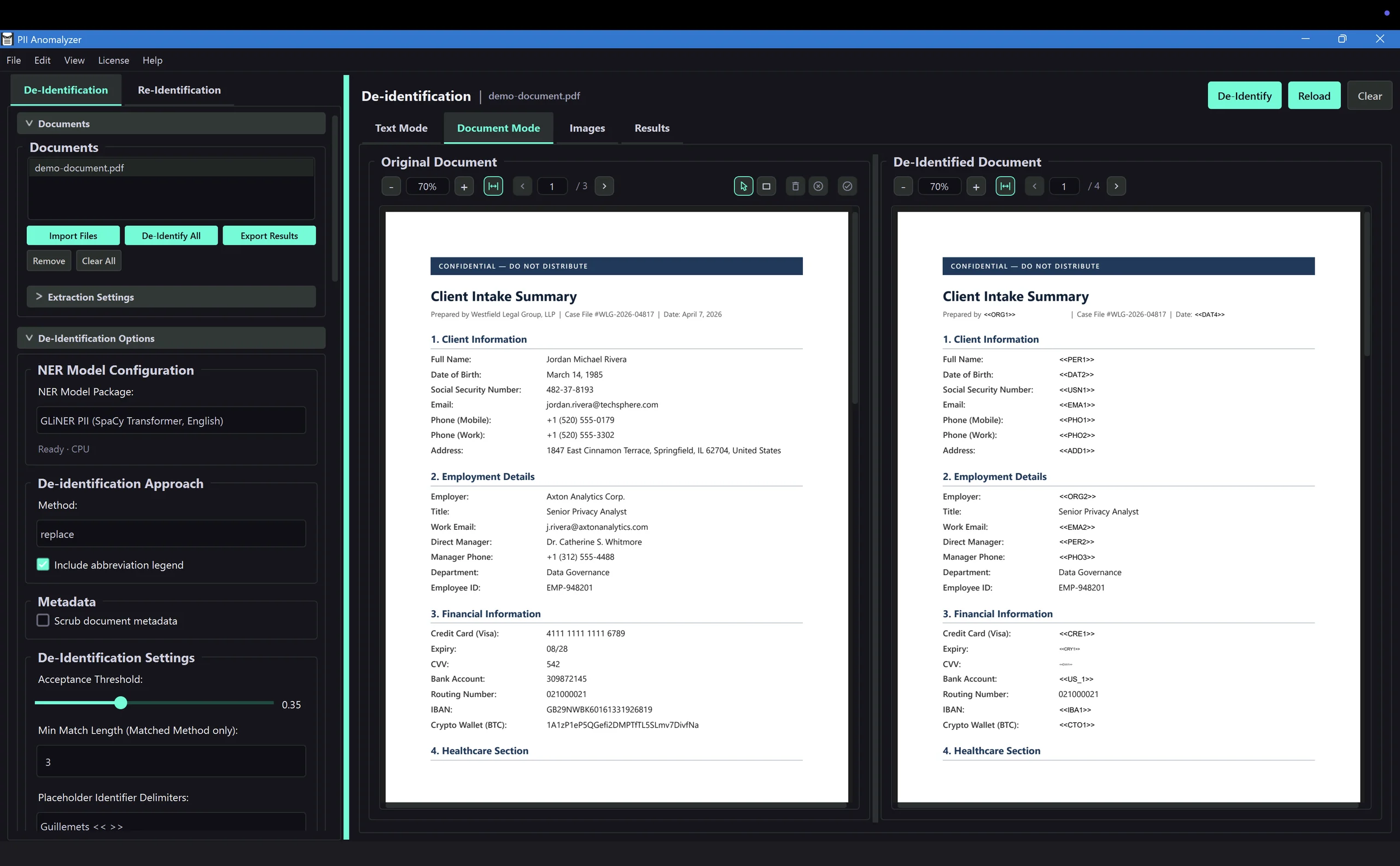
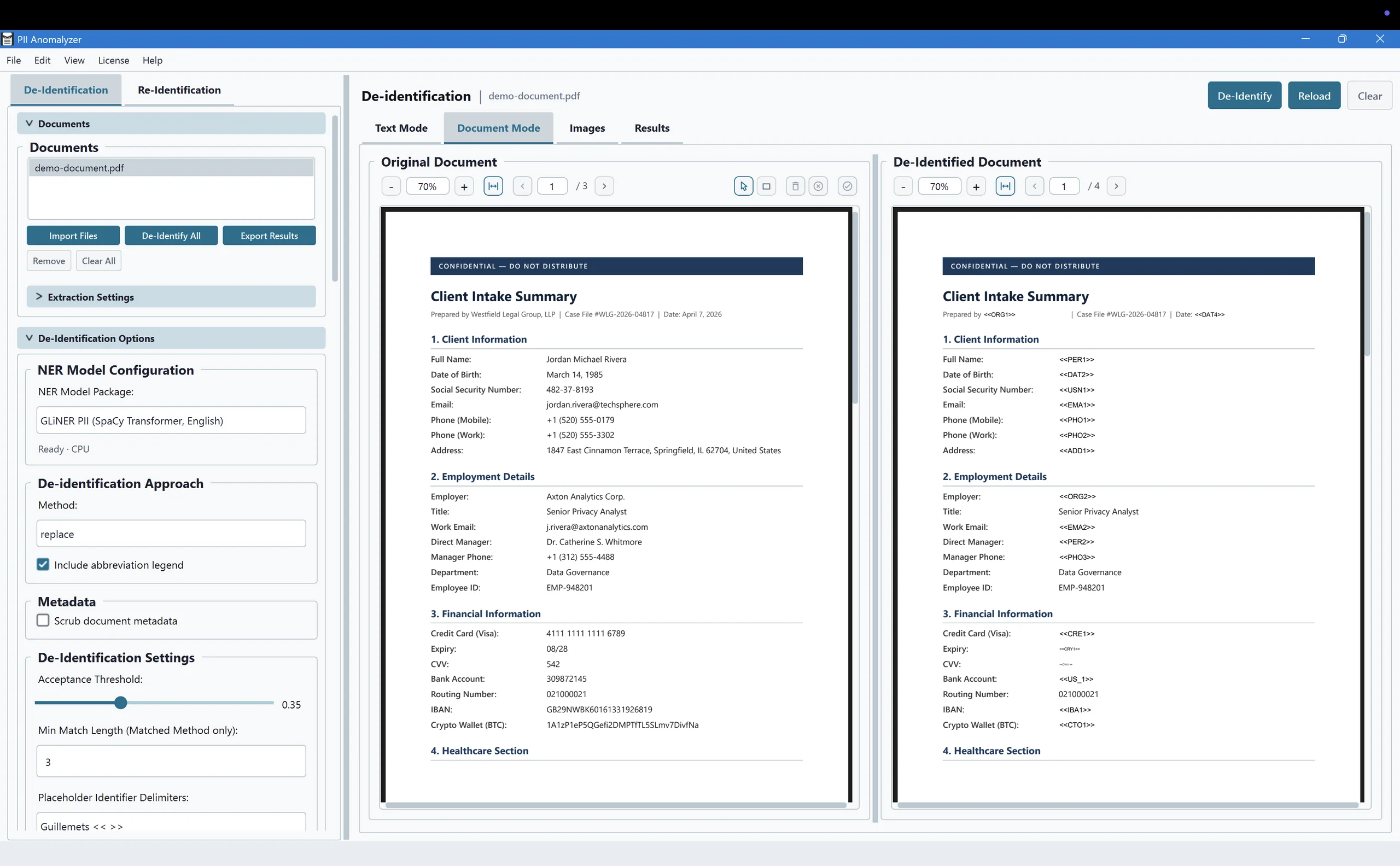
PII Anomalyzer finds the personal data for you, lets you redact or anonymize it, and can put the originals back when a de-identified file returns.
Detect
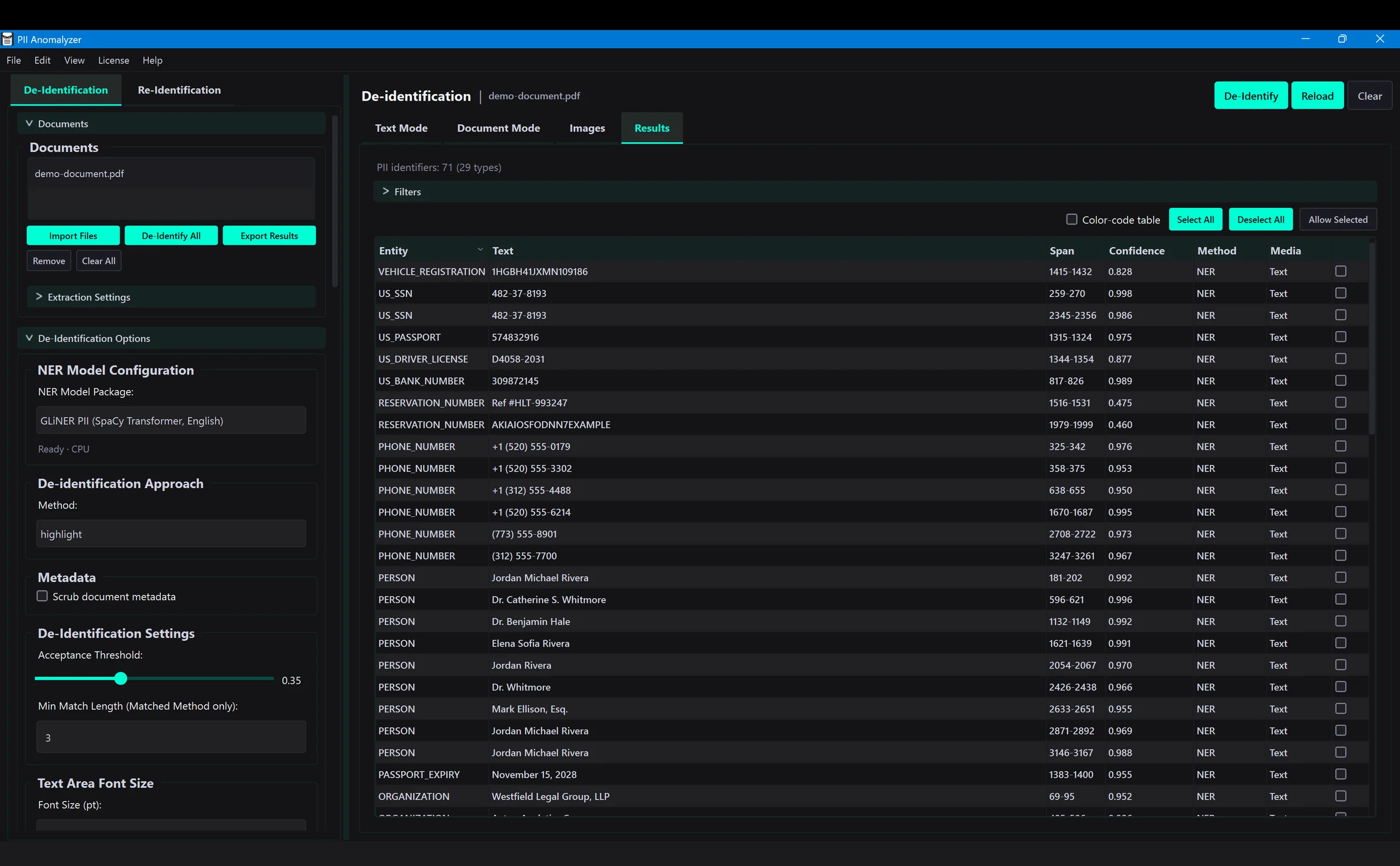
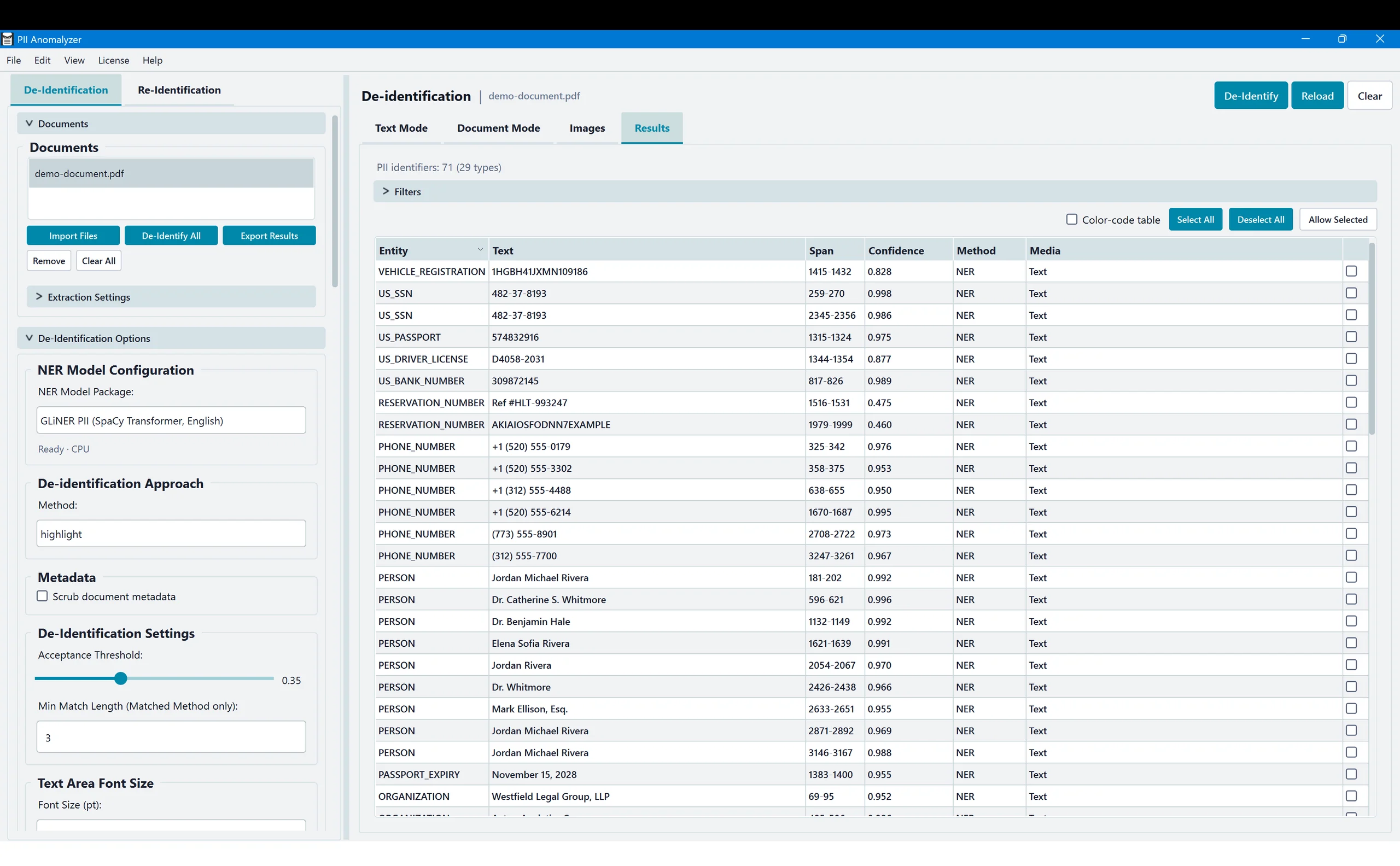
Open a case file and the local AI finds the personal data inside it: party names, addresses, account numbers, and the rest. No rules to write, no setup.
Redact or anonymize
Choose how to handle it. Redact to remove it for good, or anonymize to swap each value for a labeled placeholder so the file still reads. All of it runs on your computer.
Re-identify
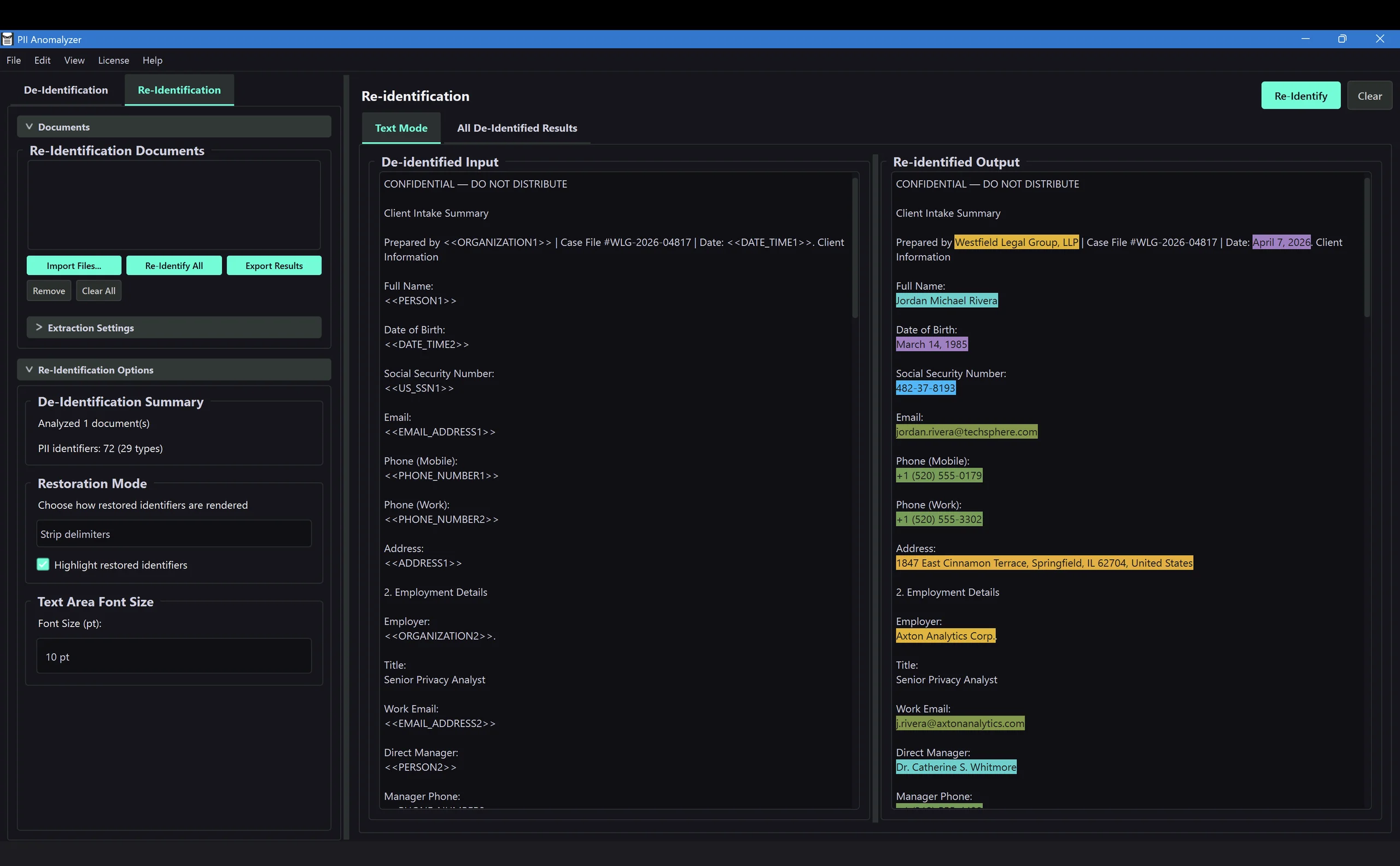
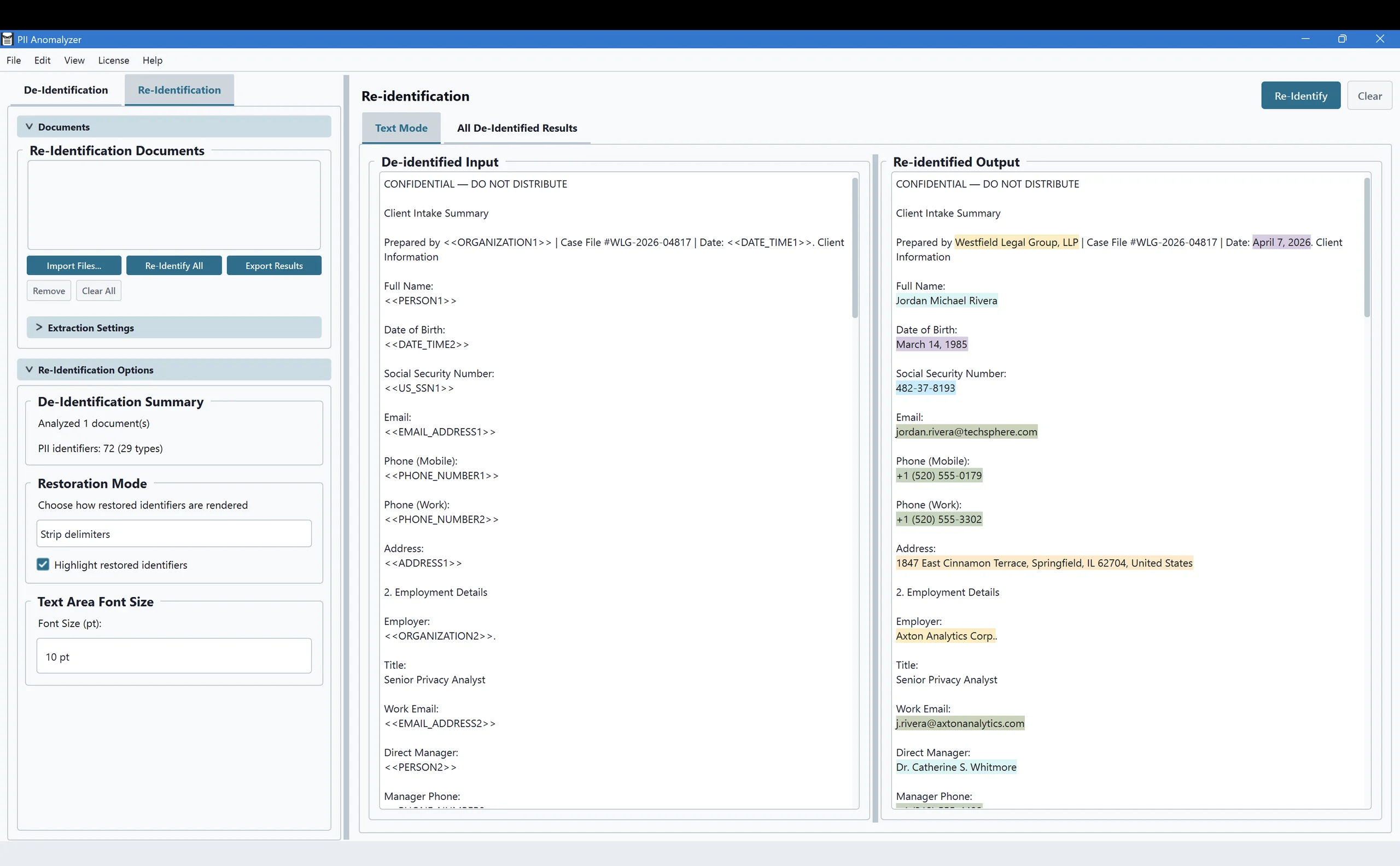
When a de-identified file comes back from an AI tool, a co-mediator, or a reviewer, restore the original values in one step. You decide what to share and when.
Send it out de-identified, get the original back
Maybe an AI tool could summarize the parties' submissions or draft the agreement, or an outside expert needs to review the file. Anonymize it first, and every name, address, and account number becomes a labeled placeholder. Hand over that version, then restore the real details in one click when the work comes back. The real values never leave your machine.
That is the difference between pasting a live case file into a chatbot and handing over a clean copy you can put back together the moment it returns.
The case files you actually work with
Word and Excel files are converted to PDF on your machine first, so the output is always a clean PDF. Scanned exhibits are read with built-in OCR, and you can paste free-form text.
Filings, exhibits, agreements, and scanned pages
Word
DOCX, converted to PDF on your machine
Excel
XLSX, XLS, XLSM, XLSB
Pasted text
Intake notes and correspondence
Common questions from dispute resolution professionals
Does my case file ever leave my computer?
No. PII Anomalyzer is a desktop application for Windows and macOS, and all detection, redaction, and anonymization run on your own machine. Your case files stay local and are never uploaded to a cloud service or an API. It keeps working with no internet connection.
Can I use it before sending a document to an AI tool?
Yes, that is the main use case for dispute resolution. Anonymize the case file first, replacing party names, addresses, and other identifiers with labeled placeholders, then send the de-identified copy to an AI service, a co-mediator, or a reviewer. When it comes back, you re-identify it in one step. The app never transmits the document itself. Only you do, and only the version you choose.
What kinds of documents can it handle?
The files dispute resolution actually runs on: PDFs including scanned exhibits, Word documents, and Excel spreadsheets. Word and Excel are converted to PDF on your machine first, and built-in OCR reads scanned pages. You can also paste free-form text such as intake notes.
Does it help with my confidentiality and compliance obligations?
It is built to keep party information on your machine, which supports the confidentiality duties and compliance workflows common in mediation, arbitration, and online dispute resolution. It is a tool you control rather than a compliance certification, and because nothing is uploaded, there is no third party in the chain to vet. As ODR standards and new AI-governance rules push toward documented data handling, keeping party information on your own machine is the most straightforward way to keep your AI use consistent with those duties.
What is the difference between redacting and anonymizing a case file?
Redaction removes the information for good and leaves a black bar, which fits filings and productions. Anonymization removes the identity but keeps the document readable, by replacing or masking names and IDs, which fits the times a colleague, reviewer, or AI tool still needs to work with the file.
Is it really fully offline?
Yes. There is no cloud component and no account that uploads your documents. The AI models run locally, so detection works behind a firewall or with no connection at all, and the parties' information never leaves the device.
Bring AI into your practice without giving up confidentiality
Let the local AI find the party information, redact or anonymize it, and keep your case files on your own machine. Try it on your own documents for 7 days.
7-day free trial · Windows & macOS · Runs entirely offline
ODR2026 attendee? Use code UWNDCZOQ for 10% off.