See it in action
Walk through Text Mode, Document Mode, redaction, and results. Every screenshot is the real desktop app processing a real document entirely on your machine.
Instant PII detection across a wide range of entity types
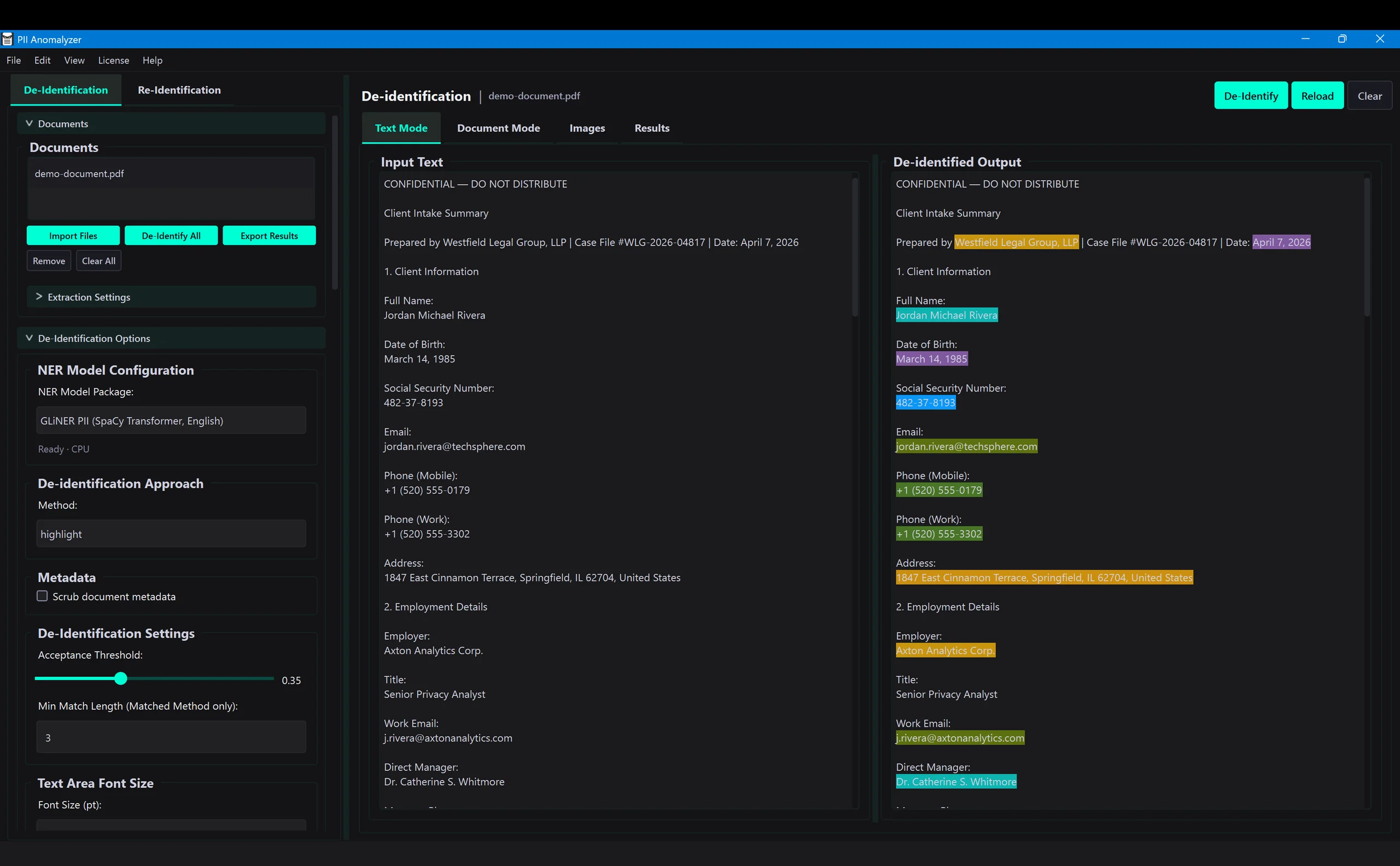
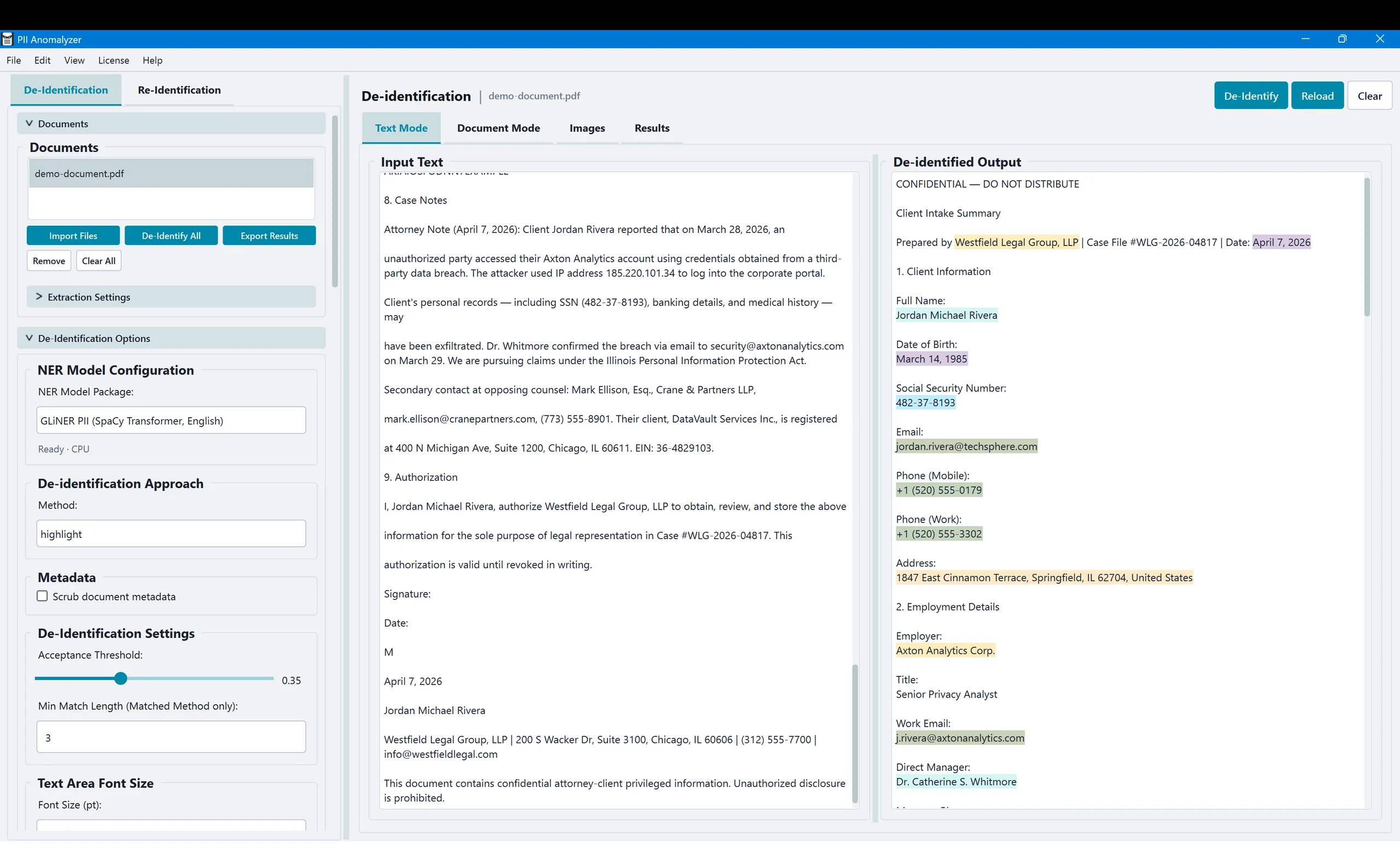
Paste or type text, click De-Identify, and PII Anomalyzer highlights the entities it finds — names, SSNs, credit cards, medical information, IP addresses, and more. Each entity type gets its own color so you can see exactly what was found at a glance.
Side-by-side: original vs. de-identified
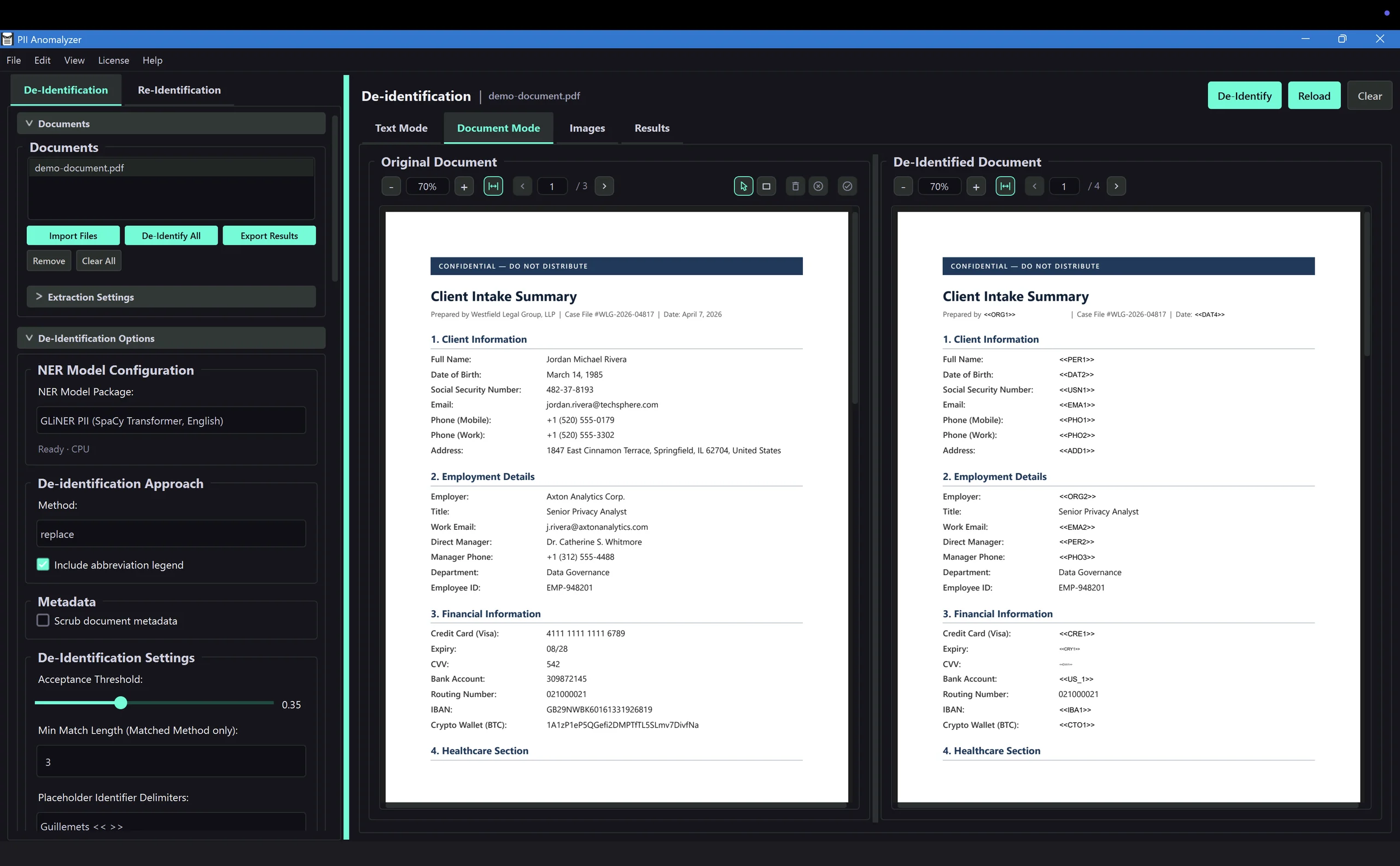
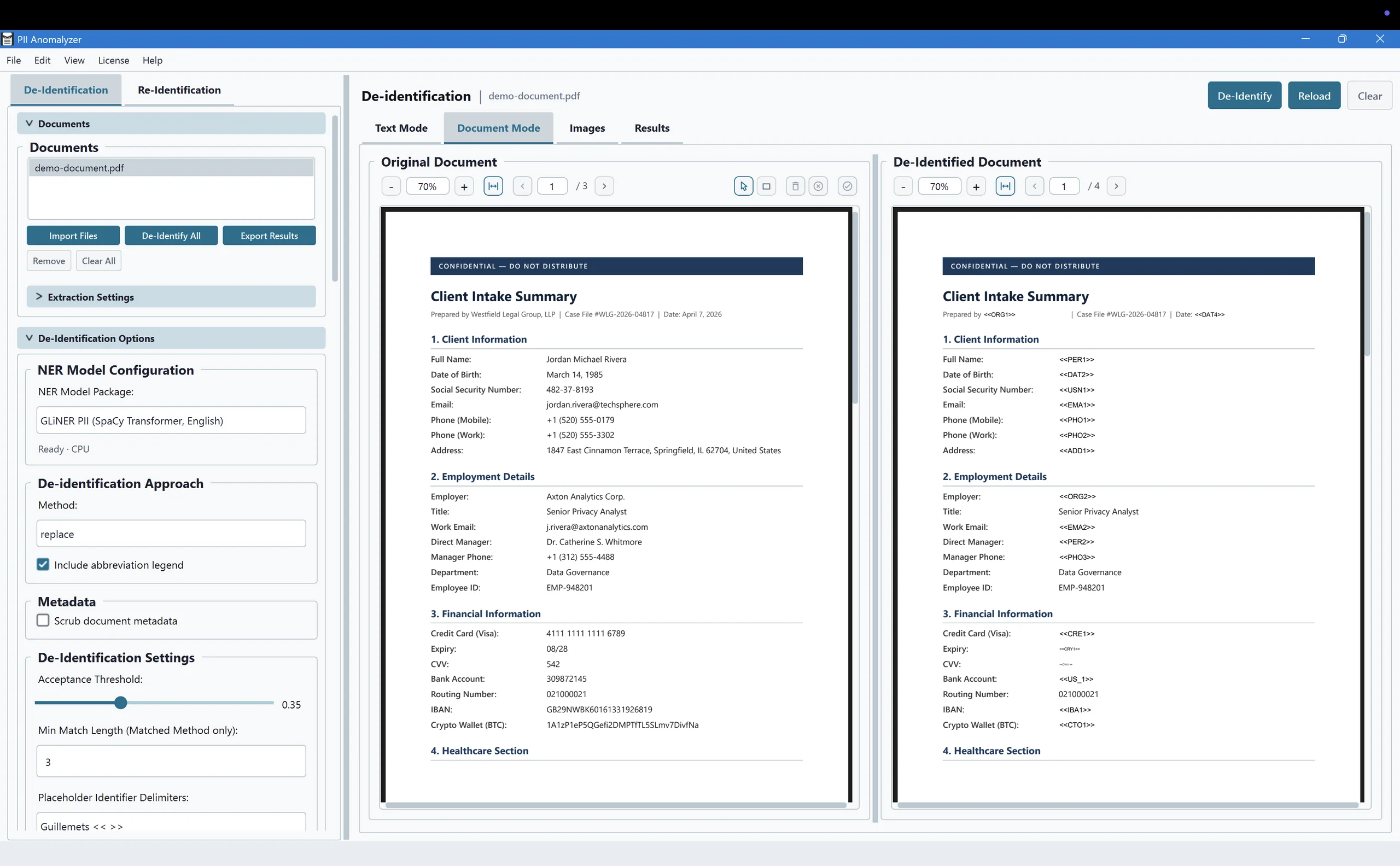
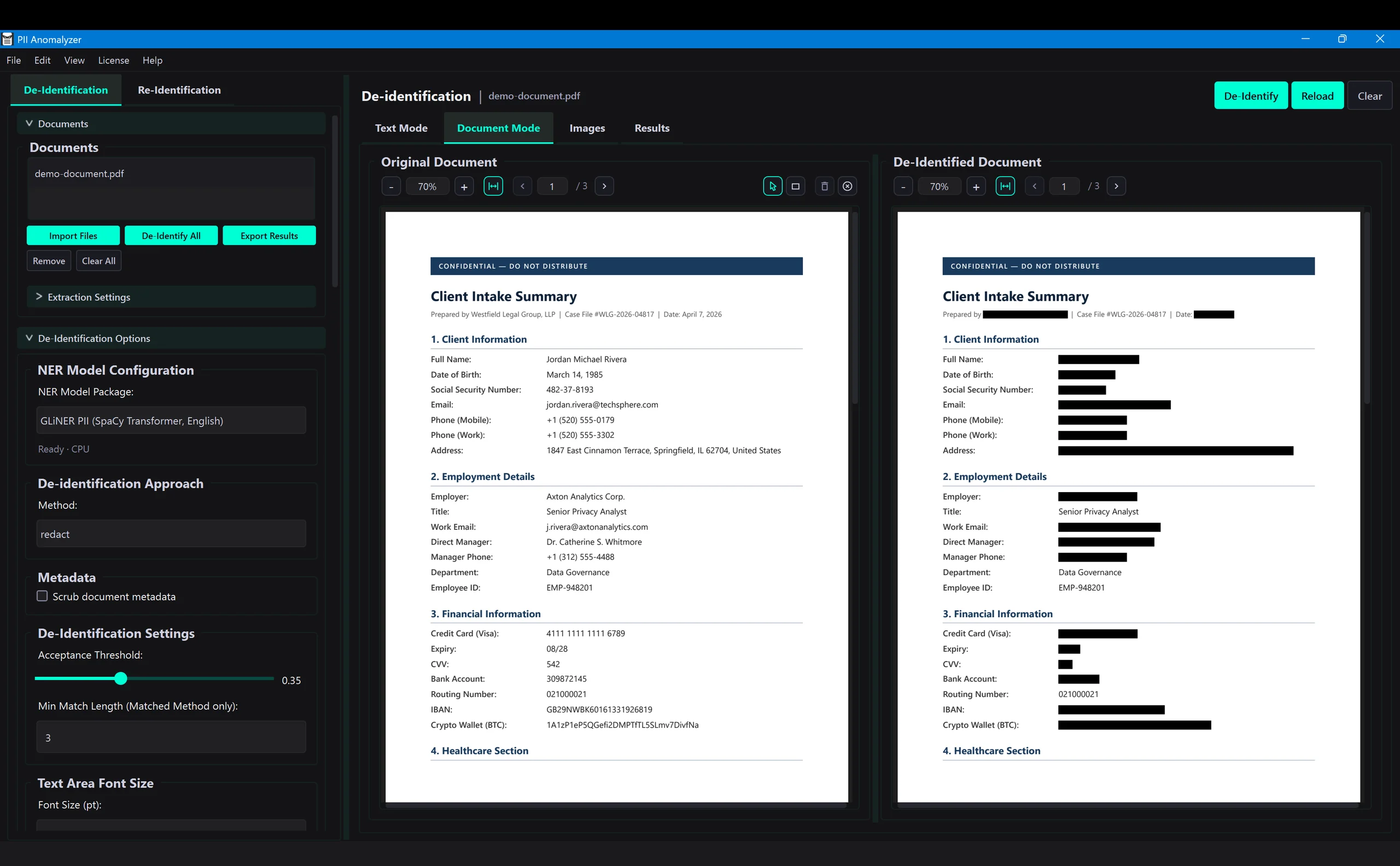
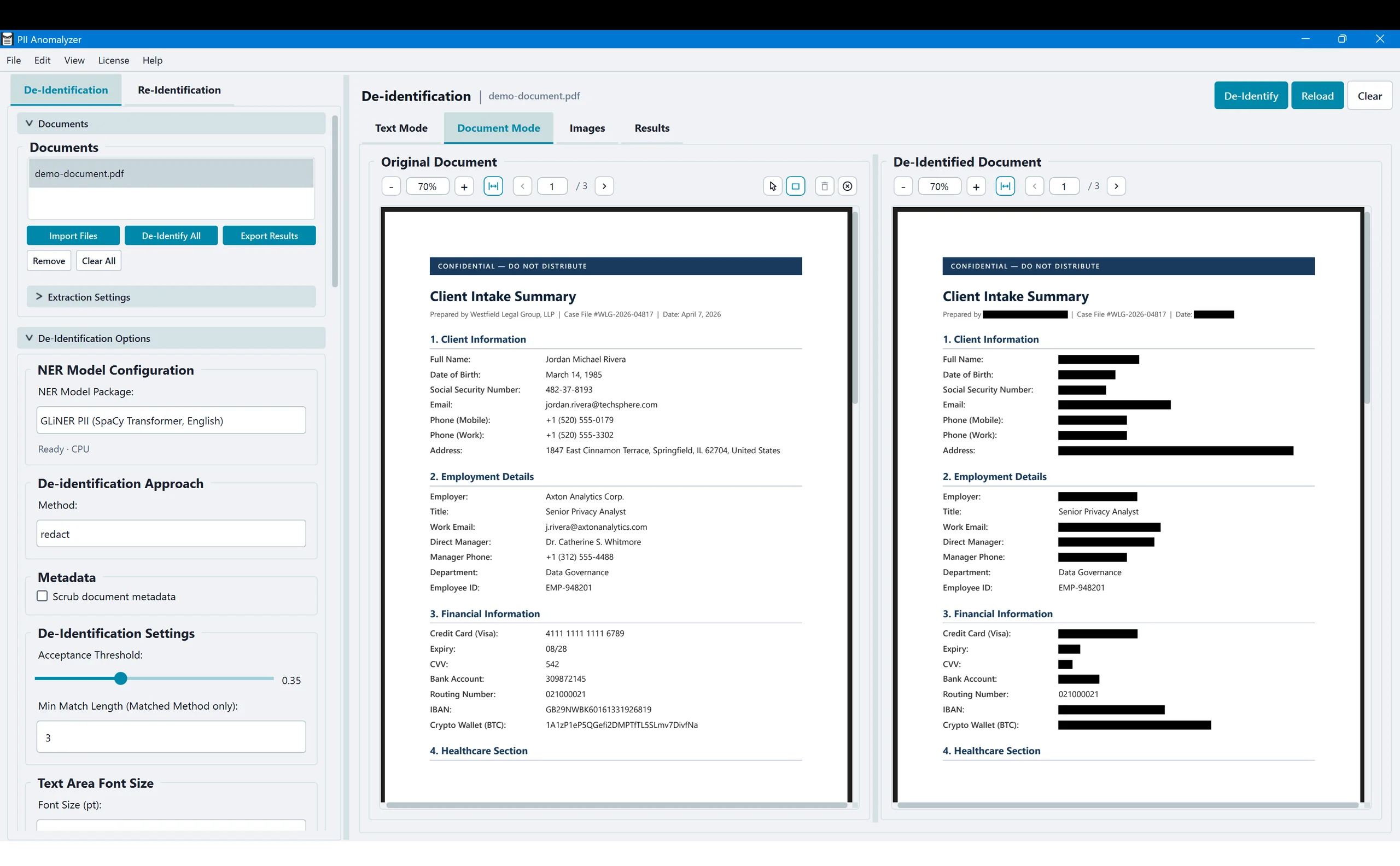
Load a PDF, DOCX, or XLSX and see the original document next to its de-identified version, with each detected entity swapped for a labeled placeholder — scroll through both panels simultaneously to verify results before exporting.
Clean, permanent black-bar redaction
Switch the de-identification method to Redact and every detected entity is replaced with solid black bars in the output document. Names, SSNs, addresses, financial data — all permanently removed. Review the highlights, then export the redacted PDF with confidence.
Black out what AI can't read
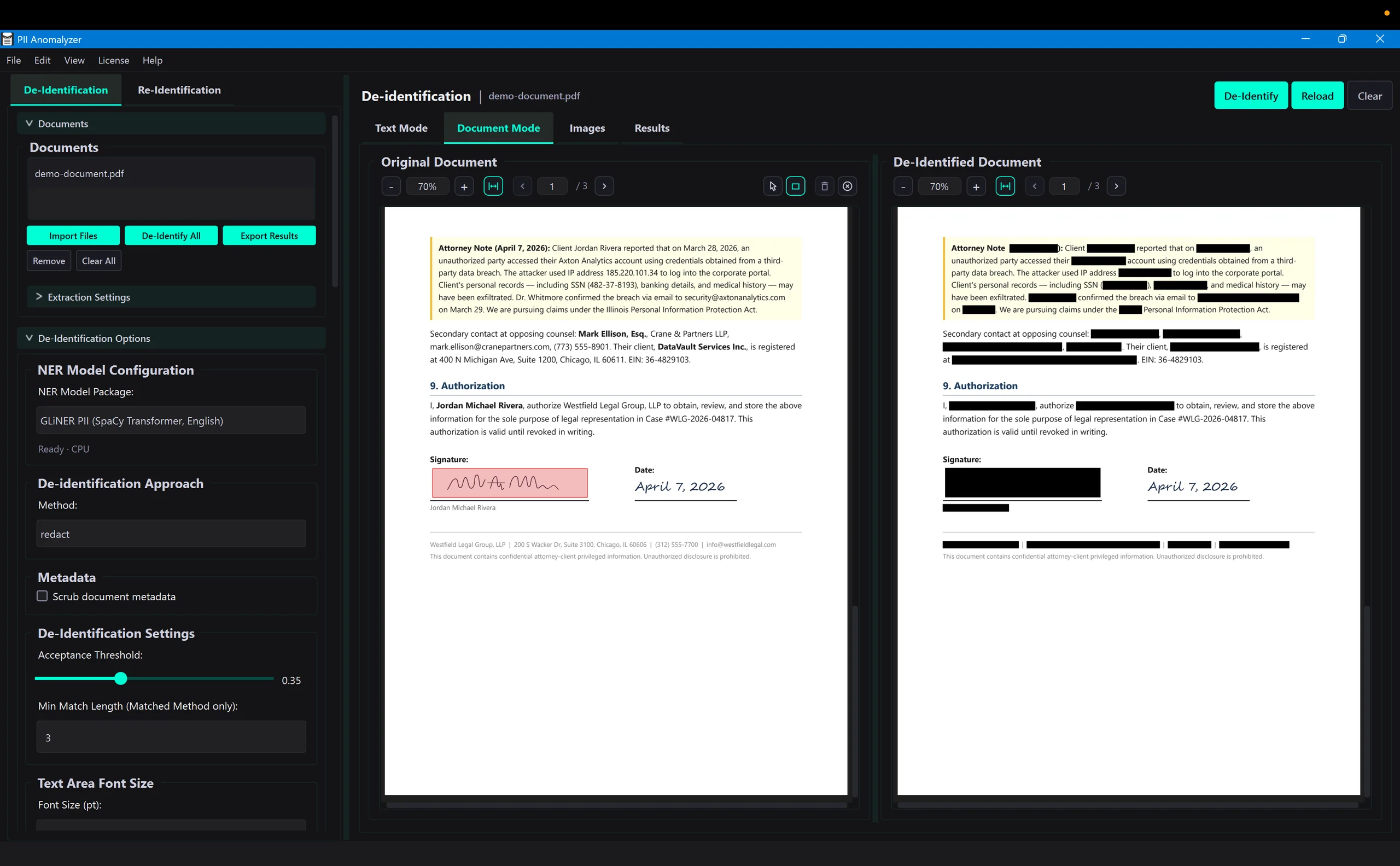
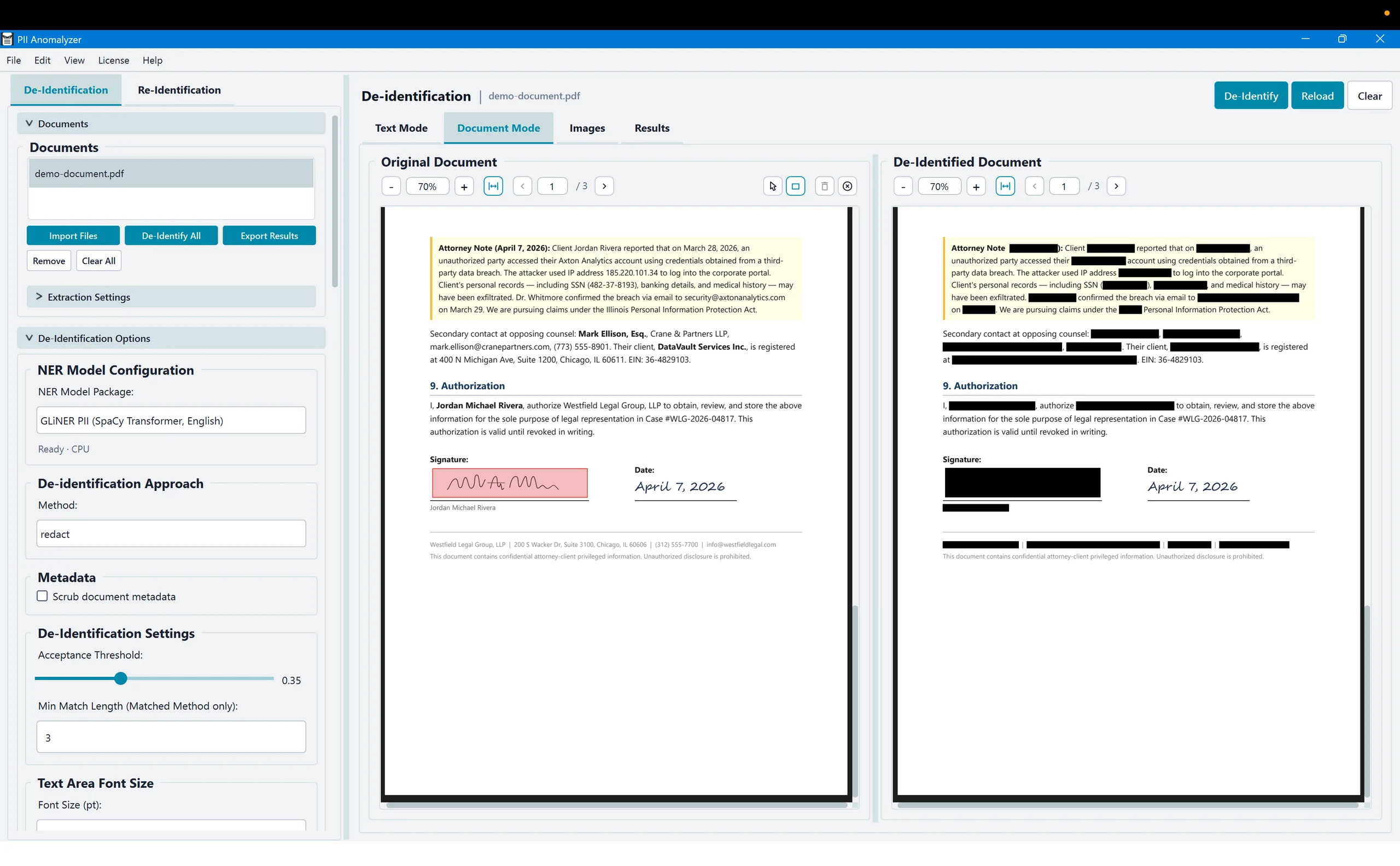
Signatures, handwritten notes, photos, logos — some PII is visual, not textual. Use the draw-to-redact tool to drag black bars directly over sensitive areas. The original stays untouched on the left while the redacted version updates on the right.
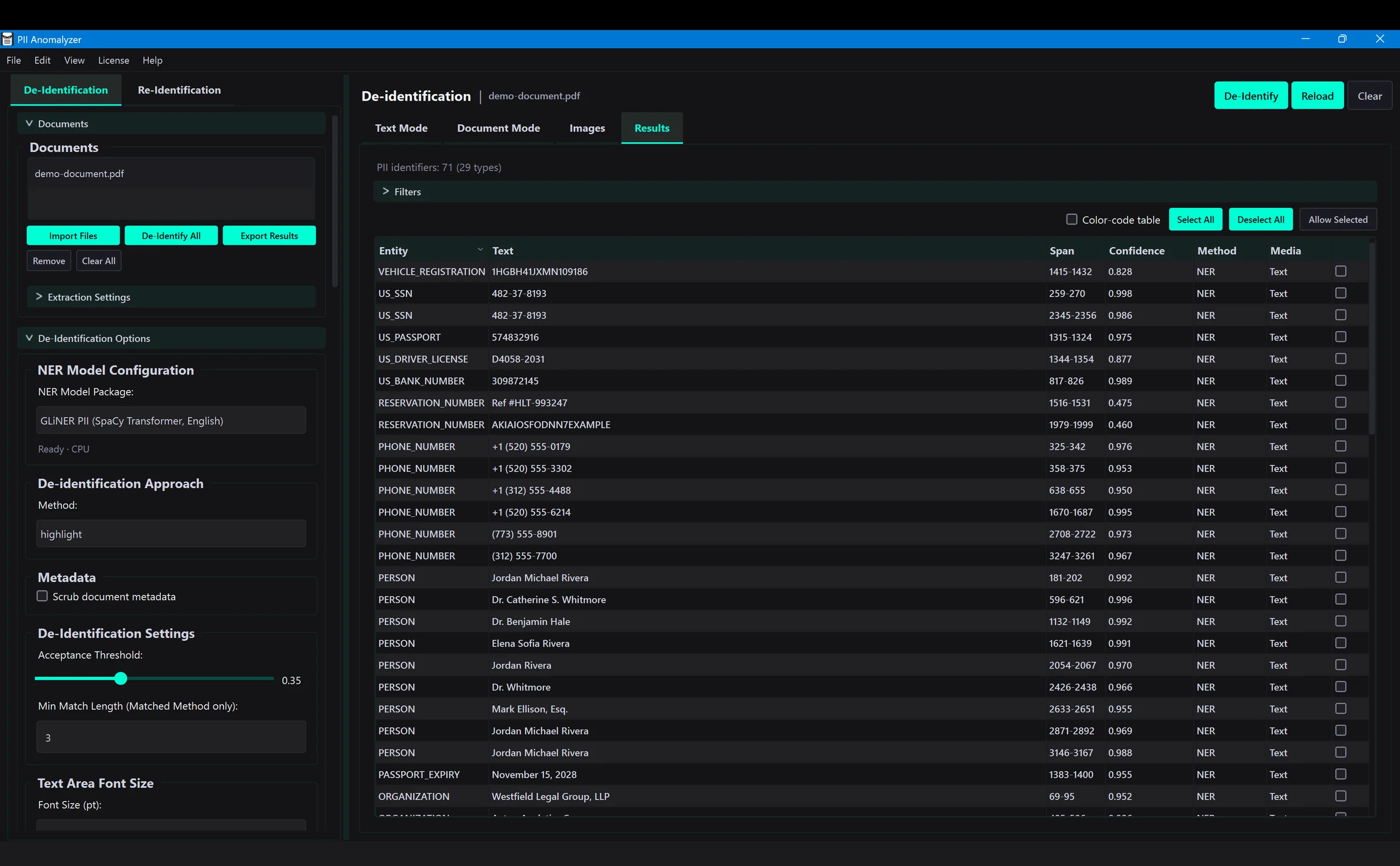
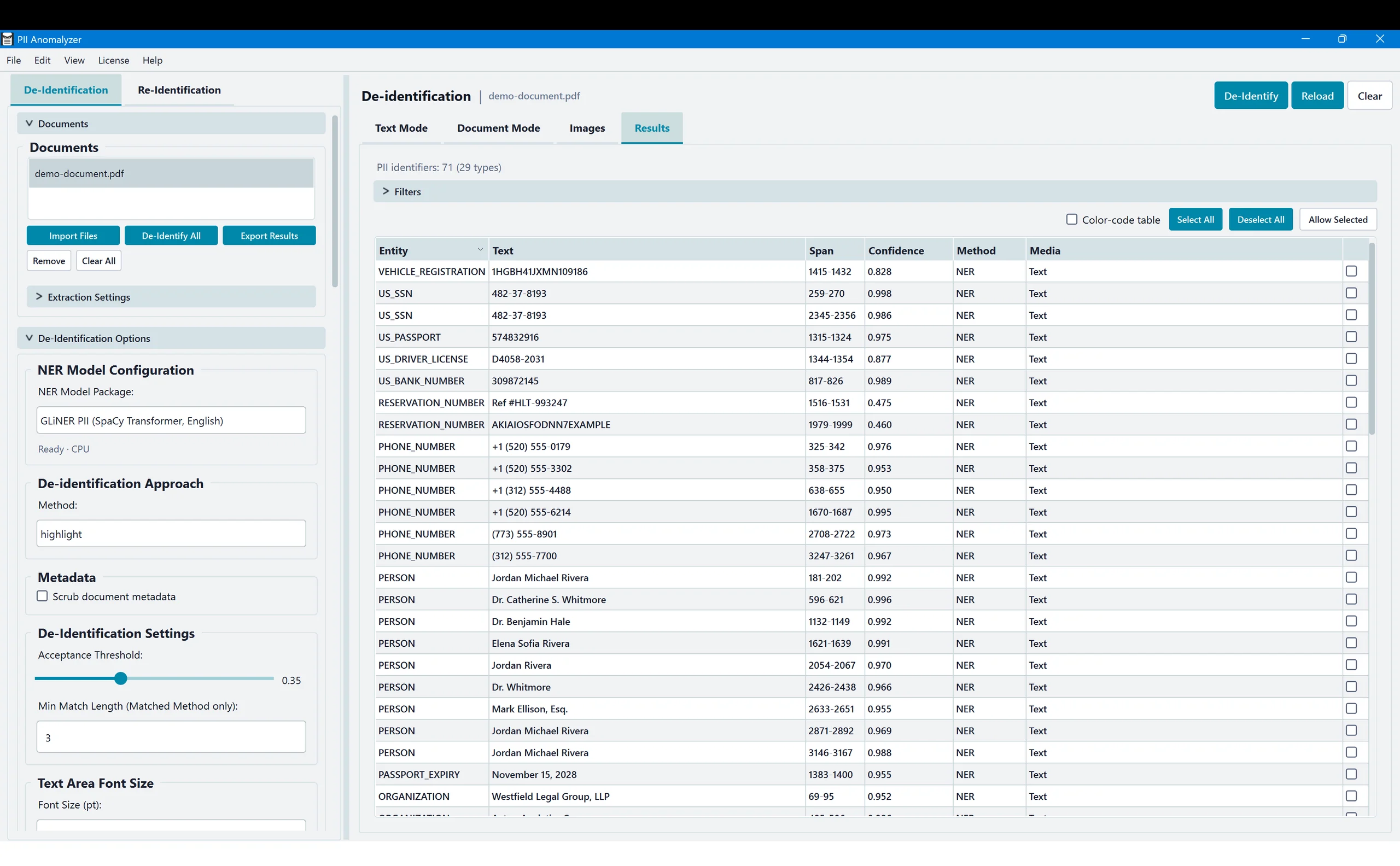
Every entity, scored and categorized
The Results tab gives you a structured view of every detected entity — type, text, location, confidence score, and de-identification method applied. Sort, filter, and export to XLSX for compliance documentation.
You've seen it. Now run it on your own documents.
Everything you just watched, running on your own files, entirely on your machine.
Prefer a written walkthrough? Read how to redact a PDF step by step.