Anonymize documents and keep them readable
Anonymize a PDF, Word, or Excel file in minutes. Replace names and IDs with placeholders, or mask them, so the document still reads while the personal data is gone. Everything runs on your machine.
- Runs entirely offline
- Windows & macOS
- 7-day free trial
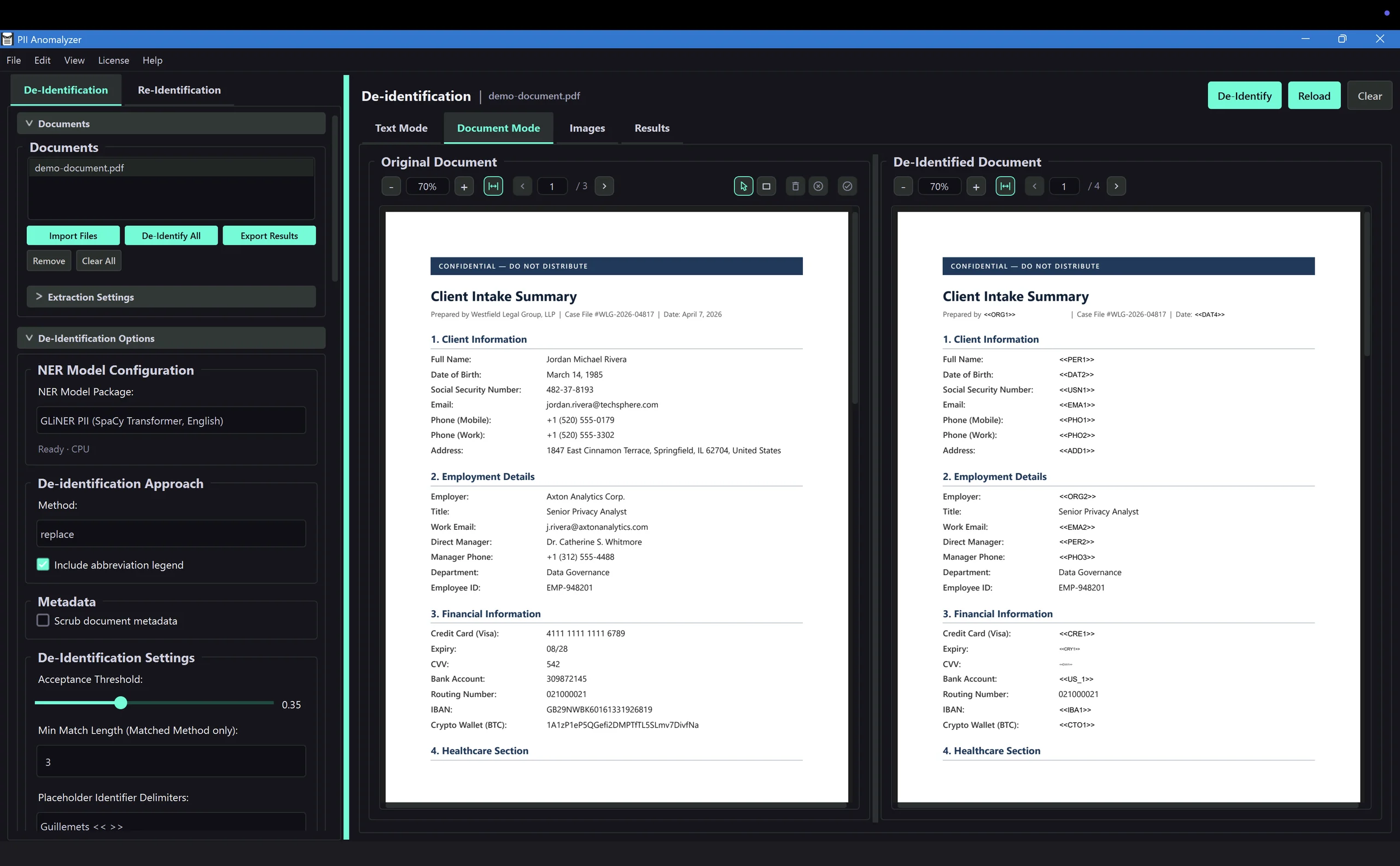
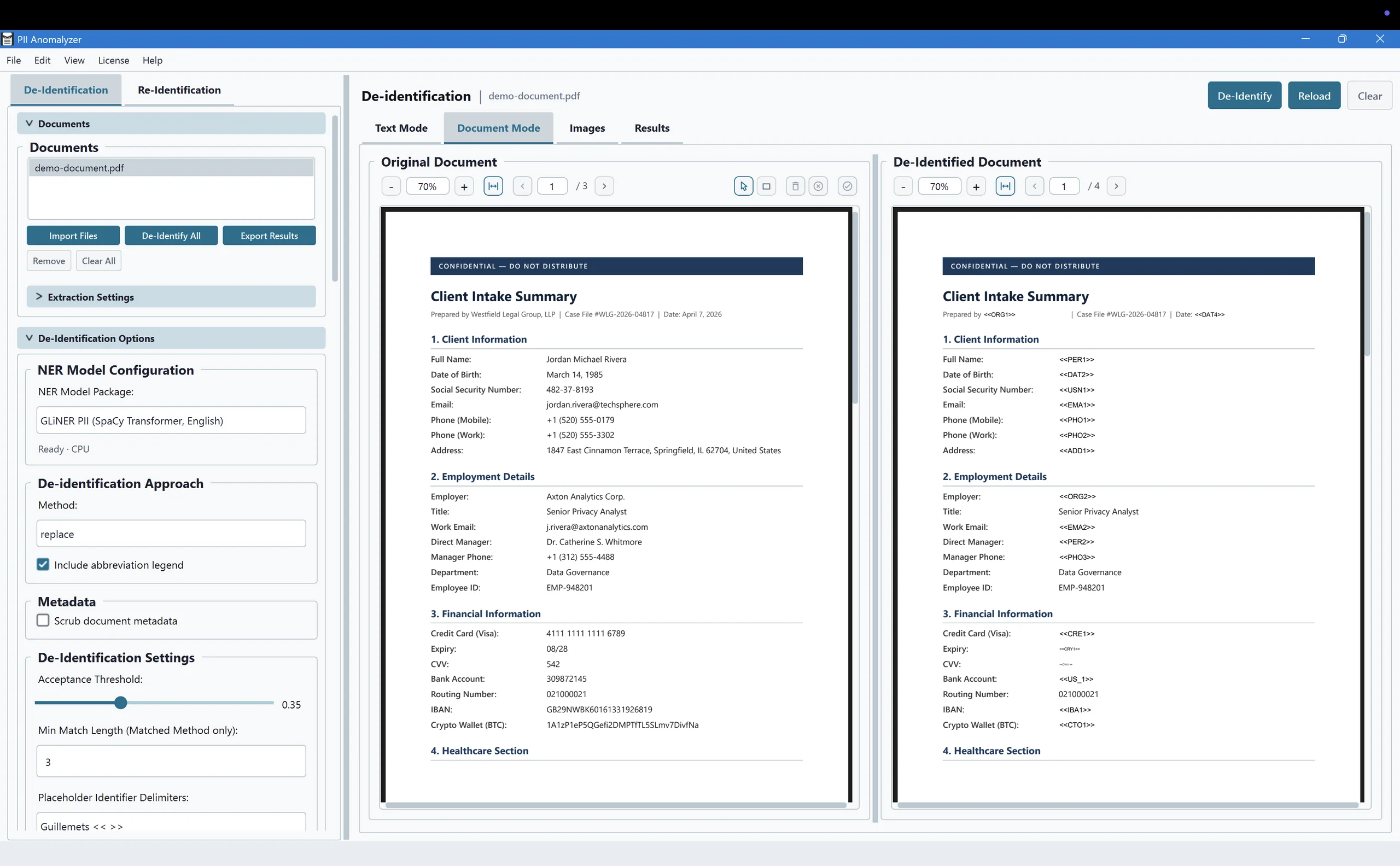
Three ways to remove the identity, not the document
PII Anomalyzer detects the personal data for you. Then you choose how to handle it: replace it with placeholders, mask it, or highlight it for review. The document stays readable.
Replace
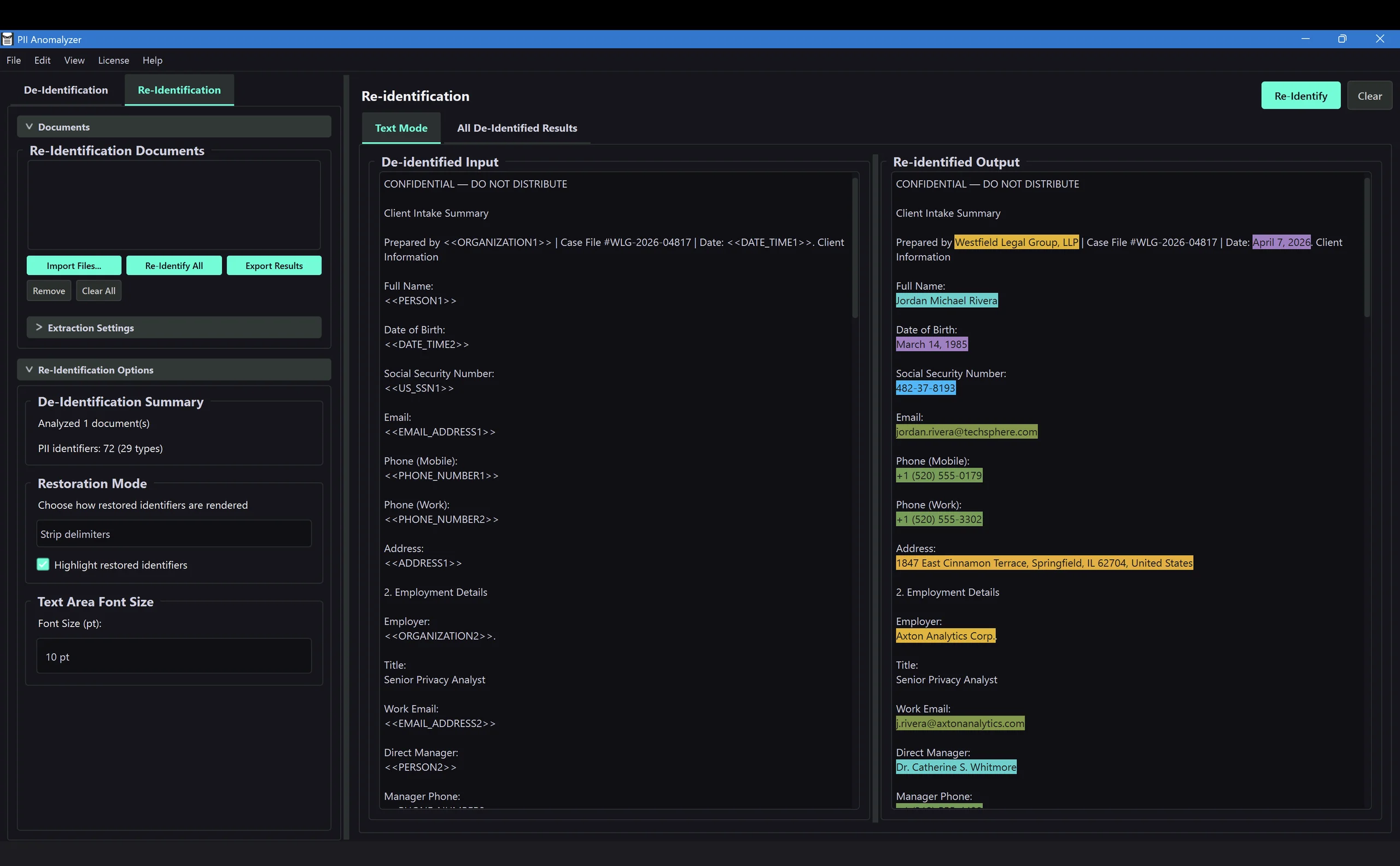
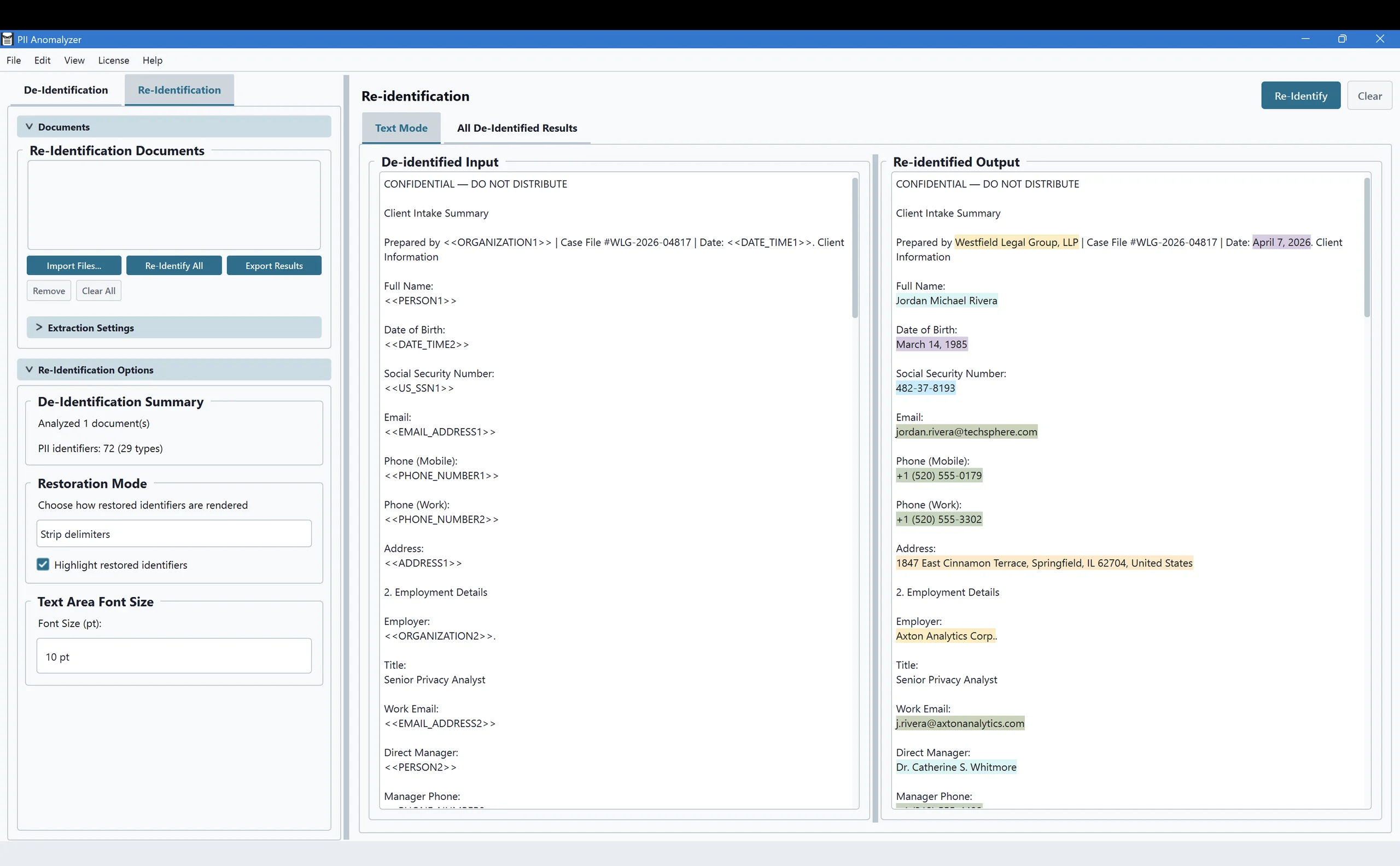
Swaps each detected entity for a labeled placeholder such as «PERSON1». The document keeps its layout and stays readable, and an optional legend page maps the placeholders back. Replace also powers the re-identification roundtrip below.
Mask
Replaces every character of a value with a symbol while preserving its original length, so the field still fits the layout. A natural fit for account numbers, IDs, and codes.
Highlight
Marks PII with a colored overlay and leaves the text in place. Use it to review everything that was found before you commit to a permanent method. Nothing is removed.
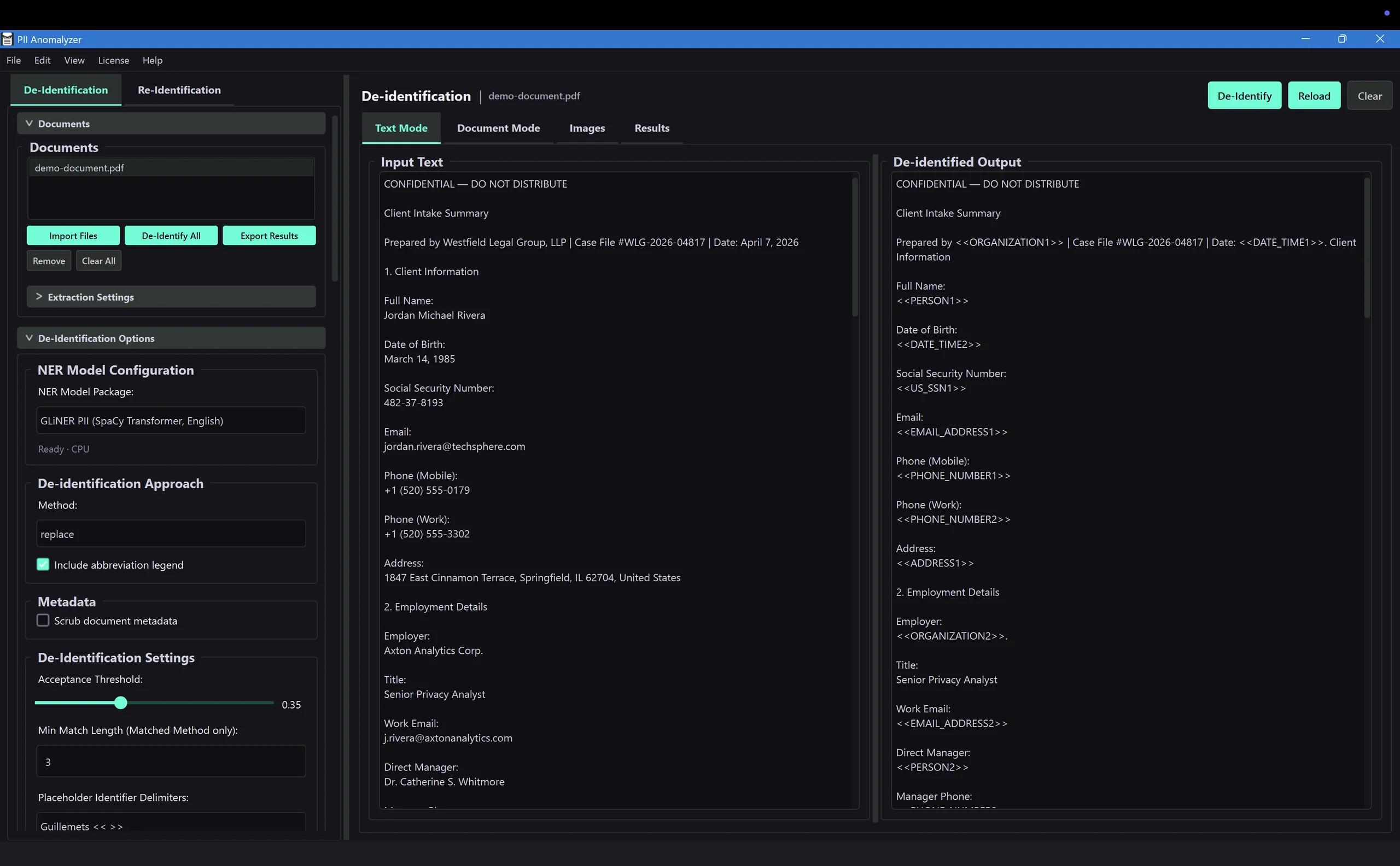
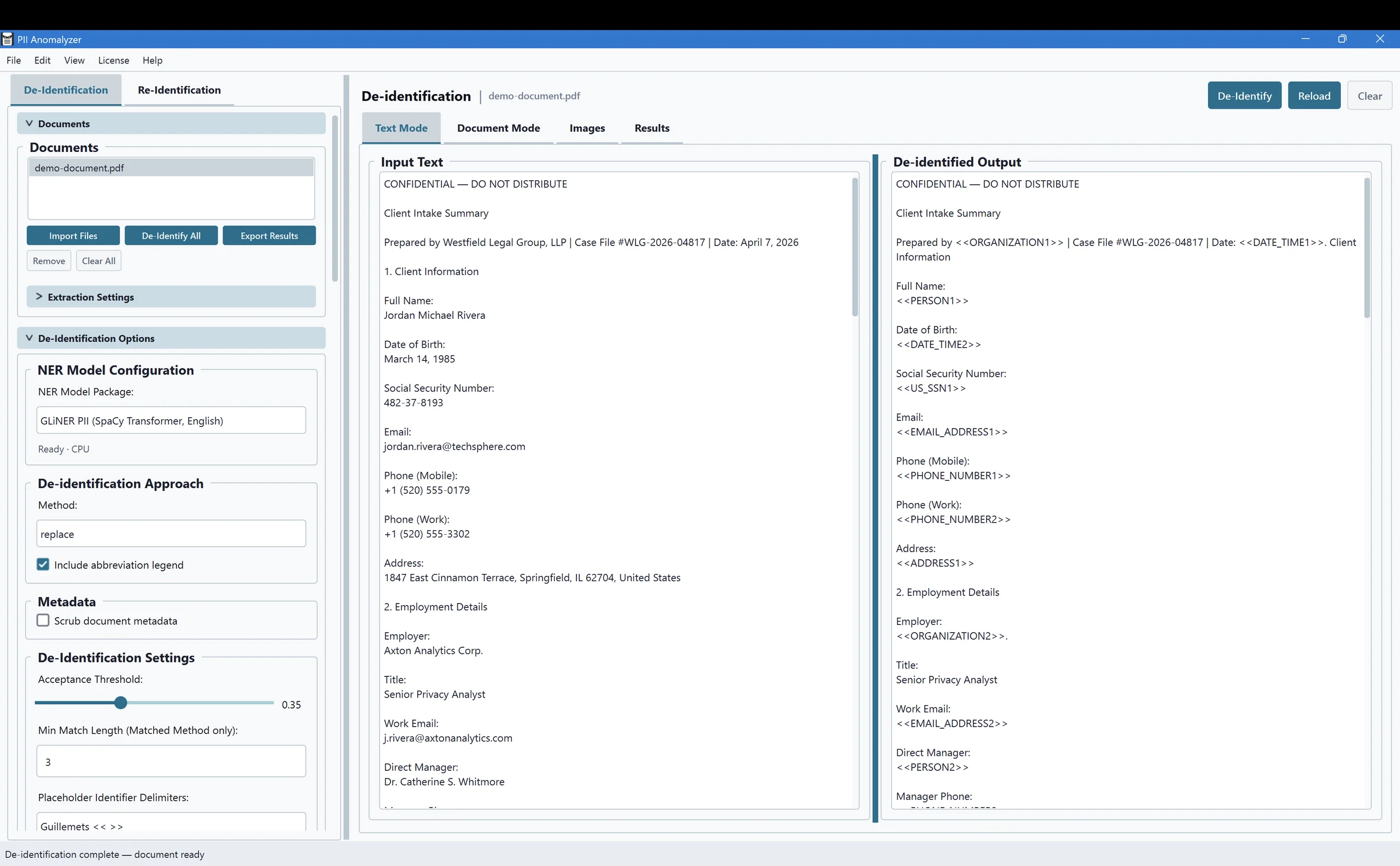
Share it safely, then get the original back
Anonymization is reversible when you need it to be. Replace each name and ID with a placeholder, hand the de-identified document to an outside AI service, a contractor, or a reviewer, then restore the original values when it comes back. You decide what to share and when. PII Anomalyzer never transmits the document itself.
It is the difference between feeding a sensitive file straight into a public AI tool and sending a clean, de-identified copy you can re-identify in one click.
Which one do you need?
They solve different problems. The right choice depends on whether anyone still has to read the document afterward.
Anonymize
Removes the identity but keeps the document readable. Names and IDs become placeholders or masked values, so the file can still be shared, reviewed, or analyzed.
Best for: sending a file to an AI tool or contractor, sharing case notes for review, keeping a working copy that no longer identifies anyone.
Redact
Removes the information completely and leaves a black bar. The underlying text is deleted, so nothing can be copied or recovered.
Best for: discovery productions, FOIA responses, anything that must leave your hands with the data gone for good. See redaction software.
Anonymize the documents you actually work with
Word and Excel files are converted to PDF on your machine first, so the anonymized output is always a clean PDF. You can also paste free-form text.
Native, fillable forms, and scanned
Word
DOCX, converted to PDF locally
Excel
XLSX, XLS, XLSM, XLSB
Scanned documents
Built-in OCR reads the text
Common questions about anonymizing documents
What is the difference between redacting and anonymizing a document?
Redaction removes the information completely and leaves a black bar where it used to be. Anonymization removes the identity but keeps the document usable, by replacing names and IDs with placeholders or masking them. Redact when the data must be gone for good. Anonymize when someone still needs to read, analyze, or process the document without seeing who it is about.
Can I get the original values back after anonymizing?
Yes, when you use the Replace method. PII Anomalyzer keeps a private map between each placeholder and its original value, so an authorized reviewer can re-identify the document later. This is what makes the roundtrip safe: you can hand a de-identified file to an outside AI tool, contractor, or reviewer, then restore the real values when it comes back. The app never transmits the document itself.
Will the document still be readable after anonymizing?
Yes, that is the point of anonymizing rather than redacting. Replace keeps the sentence structure intact with labeled placeholders, and Mask preserves the length of each value. The document reads normally, just with the personal data removed.
Does it anonymize Word and Excel files too?
Yes. PII Anomalyzer accepts Word (DOCX) and Excel (XLSX, XLS, XLSM, XLSB) files, converts them to PDF on your machine, detects the PII, and gives you an anonymized PDF. You can also paste free-form text directly.
Does anonymization happen offline?
Yes. PII Anomalyzer is a desktop application for Windows and macOS, and all detection and anonymization run on your own machine. Your document content stays local and is never sent to a cloud service or an API. It keeps working with no internet connection.
Does it anonymize databases or datasets?
PII Anomalyzer is built for documents, the PDF, Word, and Excel files you open or batch-import, rather than database tables or large structured datasets. If your goal is to anonymize the content of documents so they can be shared or reviewed, that is exactly what it does.
Anonymize your next document on your own machine
Let the local AI find the personal data, replace or mask it, and keep the document readable. Try it on your own files for 7 days.
7-day free trial · Windows & macOS · Runs entirely offline